


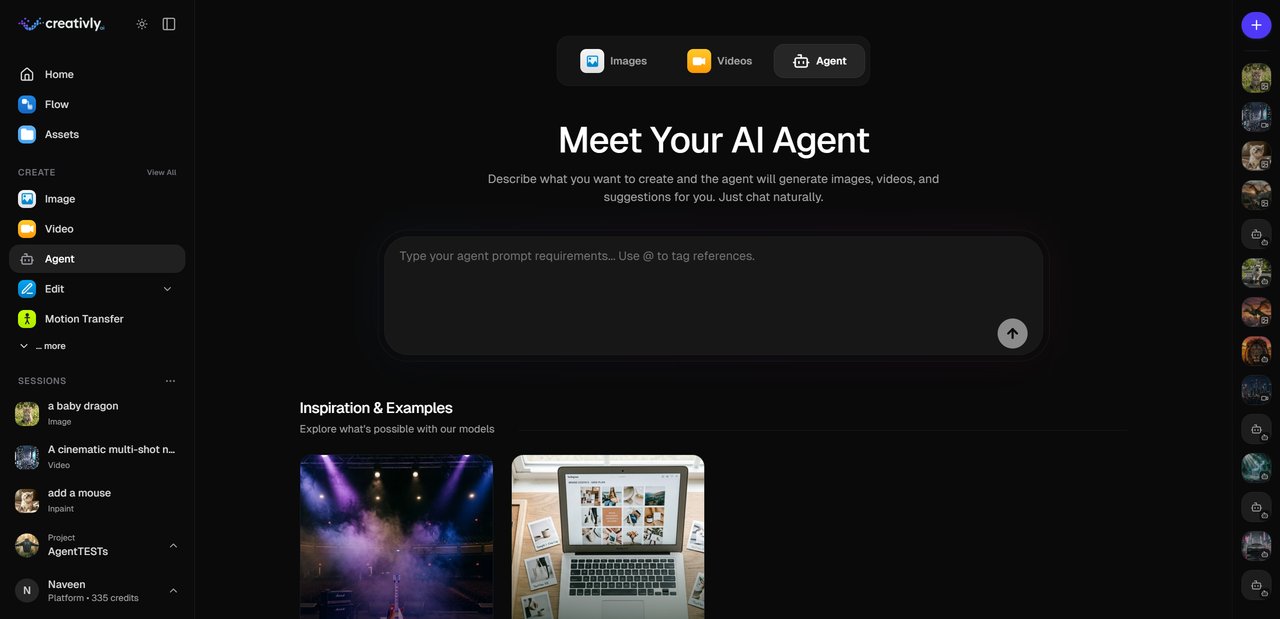
The Creativly Agent turns a sentence into finished work. Describe what you want, the agent picks the model, plans the steps, and renders the result. It runs in two places — a full-screen Agent session, or a side panel inside the Flow canvas — so it's always where you're already working.
Two surfaces, one agent
Creativly's two primary workspaces are Sessions (image, video, agent) and Flow (the node canvas). The Agent is native to both.
An Agent session takes the full screen. It's the fastest path from idea to finished asset when you're starting from scratch, running a campaign end-to-end, or iterating in a long conversation.
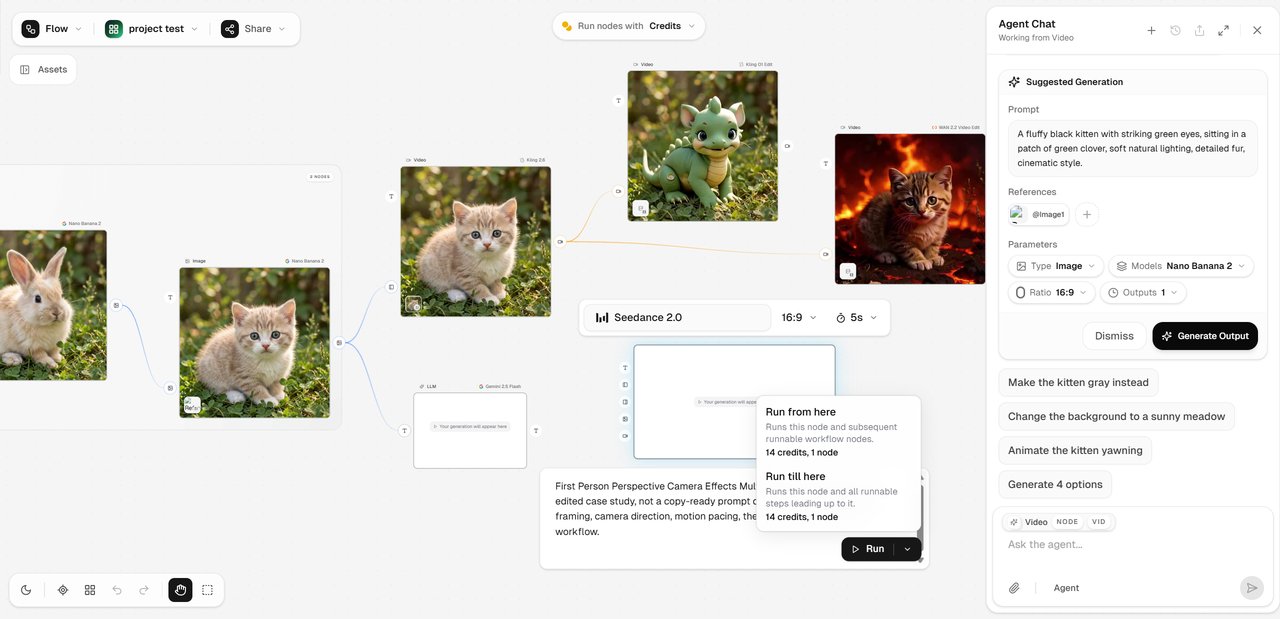
Inside Flow, the Agent is a slim side panel next to your graph. When wiring a new branch would be slower than typing a sentence, you describe the change instead — and the Agent proposes the nodes, prompts, and model choices in place.
What the Agent does
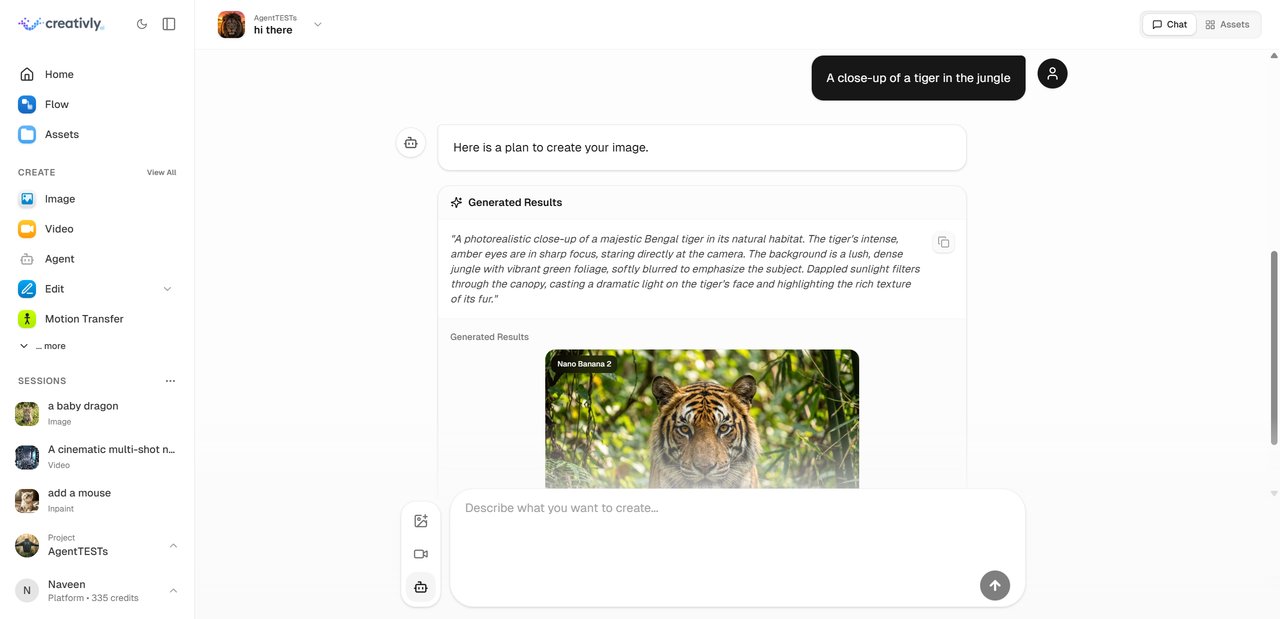
The Agent is a planner, not a wrapper around one model. It reads your intent, picks between the image and video models we support, and chains them when the task needs more than one step. Product shot? Image model. Ten-second clip? Video model. Full campaign? Both, in sequence.
Every plan is editable before it runs. You can swap the model, change aspect ratio, adjust count and duration, or reject the plan and rewrite the prompt. Nothing generates without your explicit approval.
Model picks
Images default to Nano Banana 2 — fast, strong at text, solid on edits. Video defaults to Seedance 2.0, while Seedance 2.5 now leads the video selector for longer shots, multimodal direction, native audio, and editing.
When your prompt pulls elsewhere, the pick changes. Dense typography leans Ideogram. Cinematic realism leans Flux 2 or Veo 3.1. Stylised character animation leans Kling 3.0. The proposal card shows the model before you approve.
Resumable by design
Conversations persist. Close the tab, come back tomorrow — your thread, drafts, and generated assets are still there. Run sessions in parallel (a campaign, a music video, a scratch pad) and switch between them from the session rail.
Sessions and flows share project state, so a conversation you start in an Agent session carries into the Flow canvas — and back. You never retype the context.
References
Attach reference images, clips, or audio in the composer. The Agent uses them to lock identity, motion, style, or atmosphere and to guide first and last frames where the model supports it. Seedance 2.5 supports up to 30 image, 10 video, and 10 audio references; other models vary.
Good fits
A few workflows where chat beats clicking:
- Product campaigns — shots, upscale, copy, all in one thread.
- Short-form video — describe the clip, let the Agent pick the model and aspect ratio, refine with follow-ups.
- Explainer sequences — image board first, animate the frames you keep.
- Brainstorming — ask for ten variations on a concept, get a batch.
- Mid-flow edits — describe a change to an existing graph instead of wiring more nodes.
Try it
The Agent is live now. Start a new Agent session for a focused chat, or toggle it on inside any Flow canvas.