
Nano Banana 2.1 is now in Creativly. We put it beside Nano Banana 2 and Pro across eight practical briefs: an illustration from text, product colourways, a room makeover, restaurant creatives and focused photo edits. Here are all three outputs for each brief, including the details that changed along the way.
You can open all 24 results in the example session straight away. See the original references, inspect each output and reuse a prompt with your own photographs.
How we compared the models
What we tested
One text-to-image brief, a real product colour edit, a room redesign, two restaurant creatives and three focused edits to a real traveller. These cover illustration, product photography, interiors, commercial layout, clothing, hair and backgrounds.
For each brief, all three models received the same prompt, the same starting images where applicable, the same aspect ratio and an explicit 2K output setting. We show one completed output from each model, with no best-of selection or retouching. These are individual runs, not a controlled quality or speed benchmark.
The real photographs are from Pexels. The neutral loft is an AI-generated starting image, shared unchanged across all three edits. COAST is a fictional campaign concept; the images do not imply an endorsement by the photographers, venue or person pictured. Every starting image is labelled beside its result. The page serves compressed previews, and clicking a result opens the full-size output.
1. One prompt, three interpretations of a ceramics studio
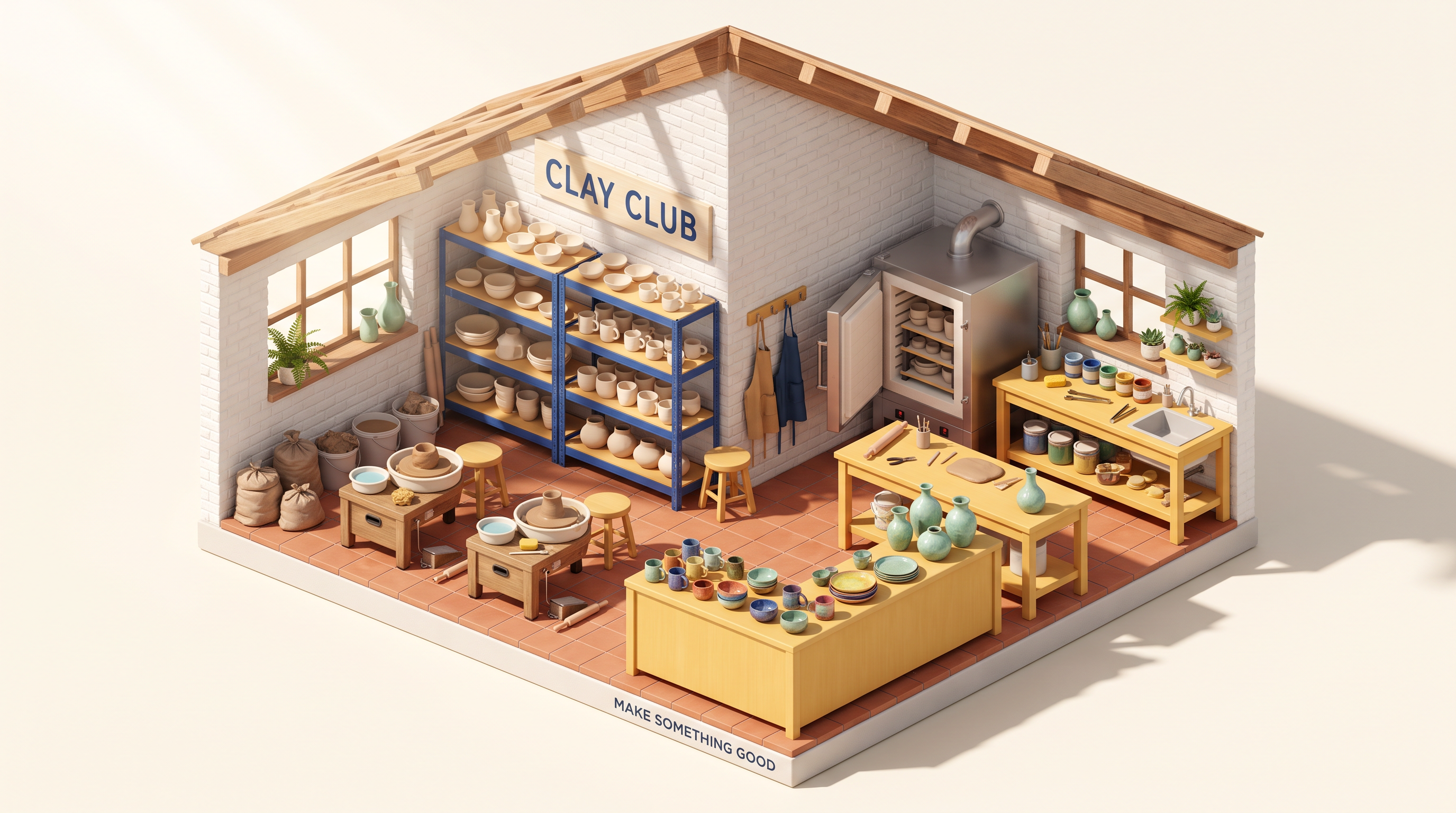
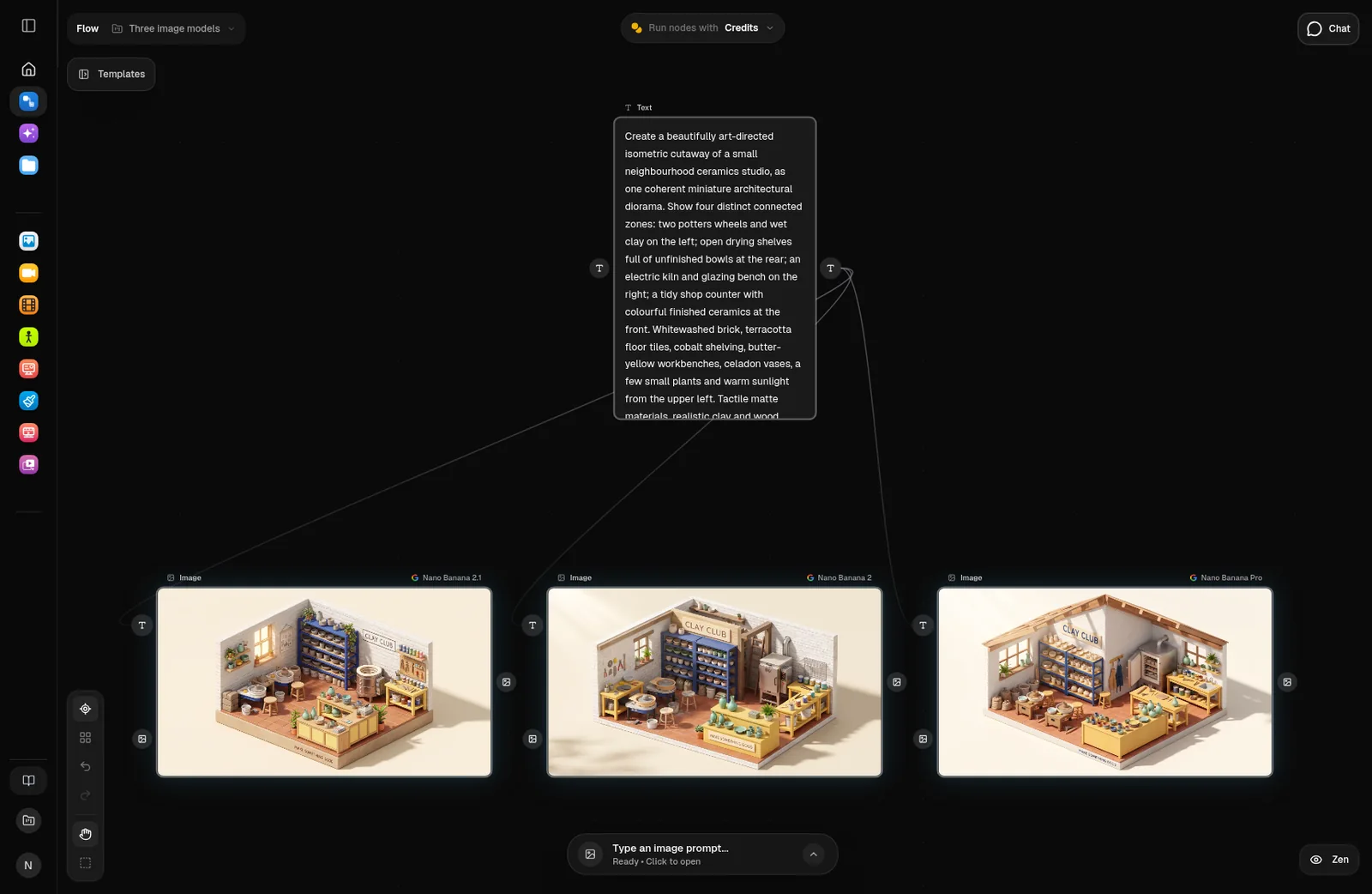
Start with words alone. We asked all three models for the same miniature ceramics studio: wheels on the left, drying shelves at the back, a kiln on the right and a shop counter at the front. The brief also names the materials, colours and two lines of lettering. No reference image was supplied.
Text to image · no reference images
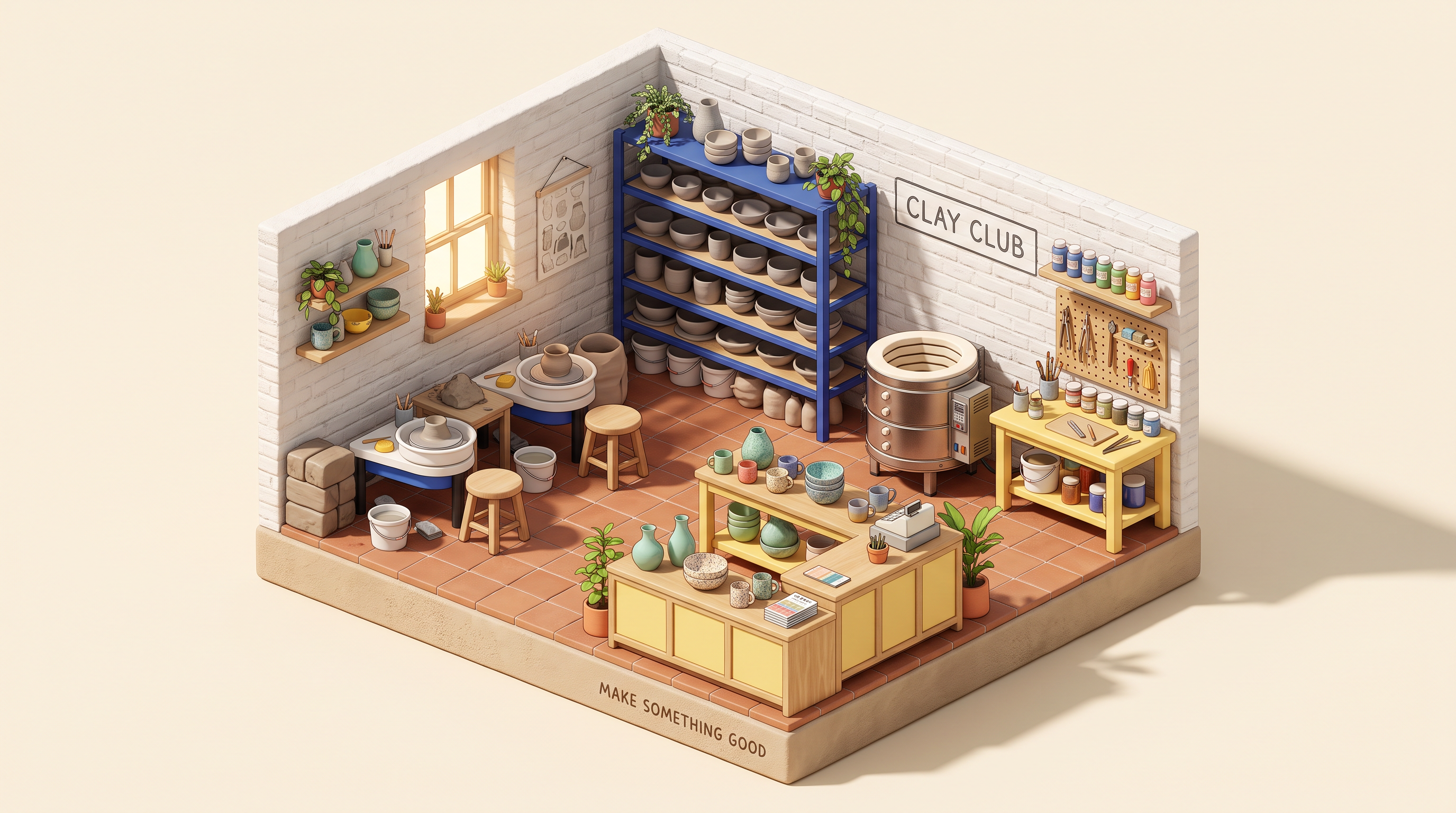
Nano Banana 2.1 · 2K
2.1 makes a compact, open-roof studio with a cylindrical kiln, neatly stacked cobalt shelves and a clear front display counter.
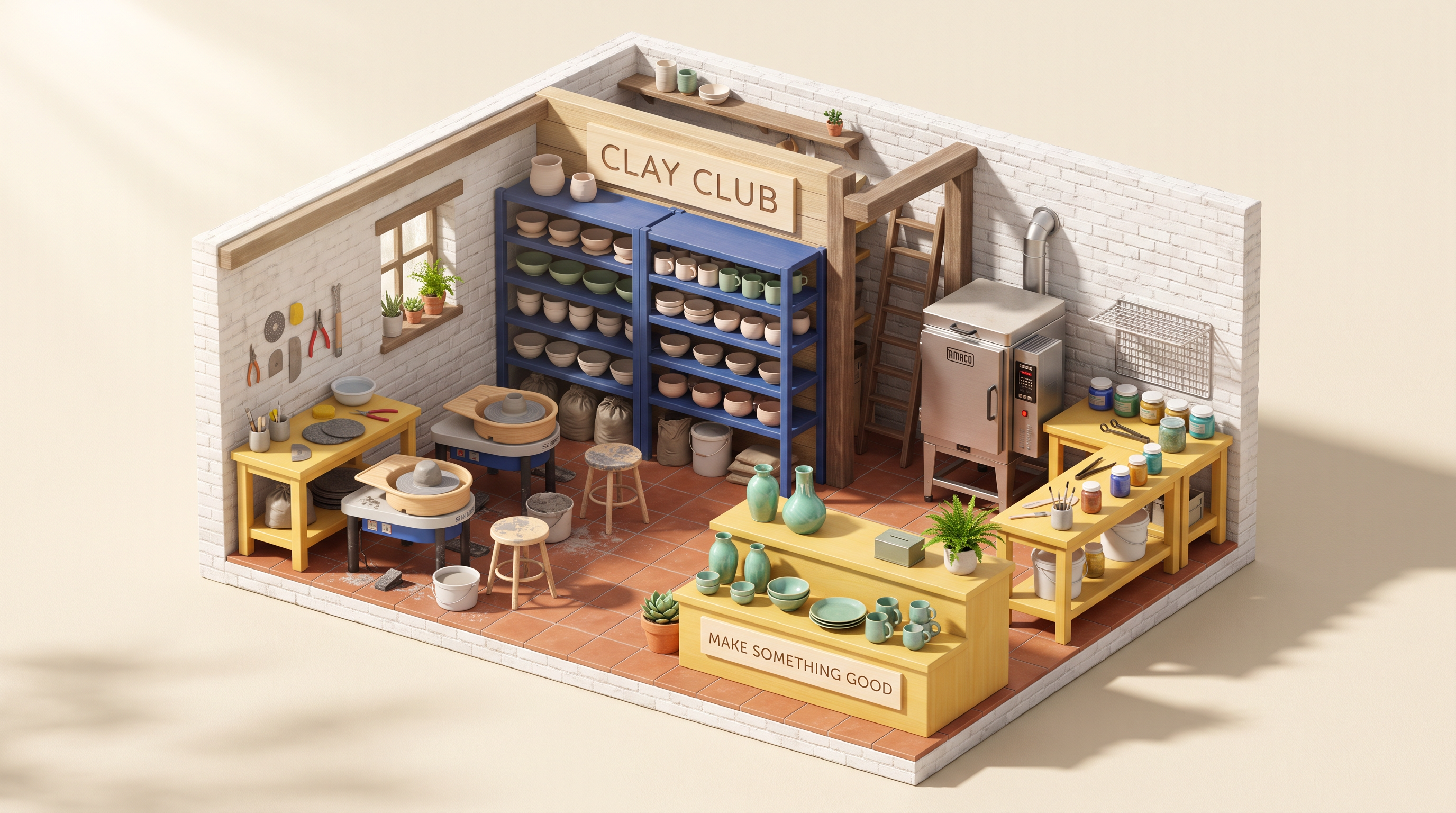
Nano Banana 2 · 2K
2 uses a taller rectangular kiln and adds timber posts. Its larger rear sign and front counter give the same brief a different balance.
Nano Banana Pro · 2K
Pro adds exposed ceiling joists, a long front counter and a more enclosed workshop. The materials and room organisation feel distinct despite the shared brief.
This is the simplest comparison to try in Flow: one prompt connected to three image models. Look at the floor plan, the two wheels, the lettering and the relationship between the working areas. A shared prompt gives you three interpretations, not three identical pictures.
Read the exact prompt · 16:9 · same prompt for all three
Create a beautifully art-directed isometric cutaway of a small neighbourhood ceramics studio, as one coherent miniature architectural diorama. Show four distinct connected zones: two potters wheels and wet clay on the left; open drying shelves full of unfinished bowls at the rear; an electric kiln and glazing bench on the right; a tidy shop counter with colourful finished ceramics at the front. Whitewashed brick, terracotta floor tiles, cobalt shelving, butter-yellow workbenches, celadon vases, a few small plants and warm sunlight from the upper left. Tactile matte materials, realistic clay and wood textures, carefully arranged tiny tools, crisp architectural detail and soft grounded shadows. The open-front studio stands on a warm ivory background with generous breathing room. A clean sign on the rear wall reads exactly "CLAY CLUB"; a smaller line on the front plinth reads exactly "MAKE SOMETHING GOOD". Polished contemporary editorial illustration, joyful colour and believable spatial organisation. No people, extra rooms, floating furniture, watermarks or extra lettering.
2. The same three photos as an Instagram-ready restaurant ad
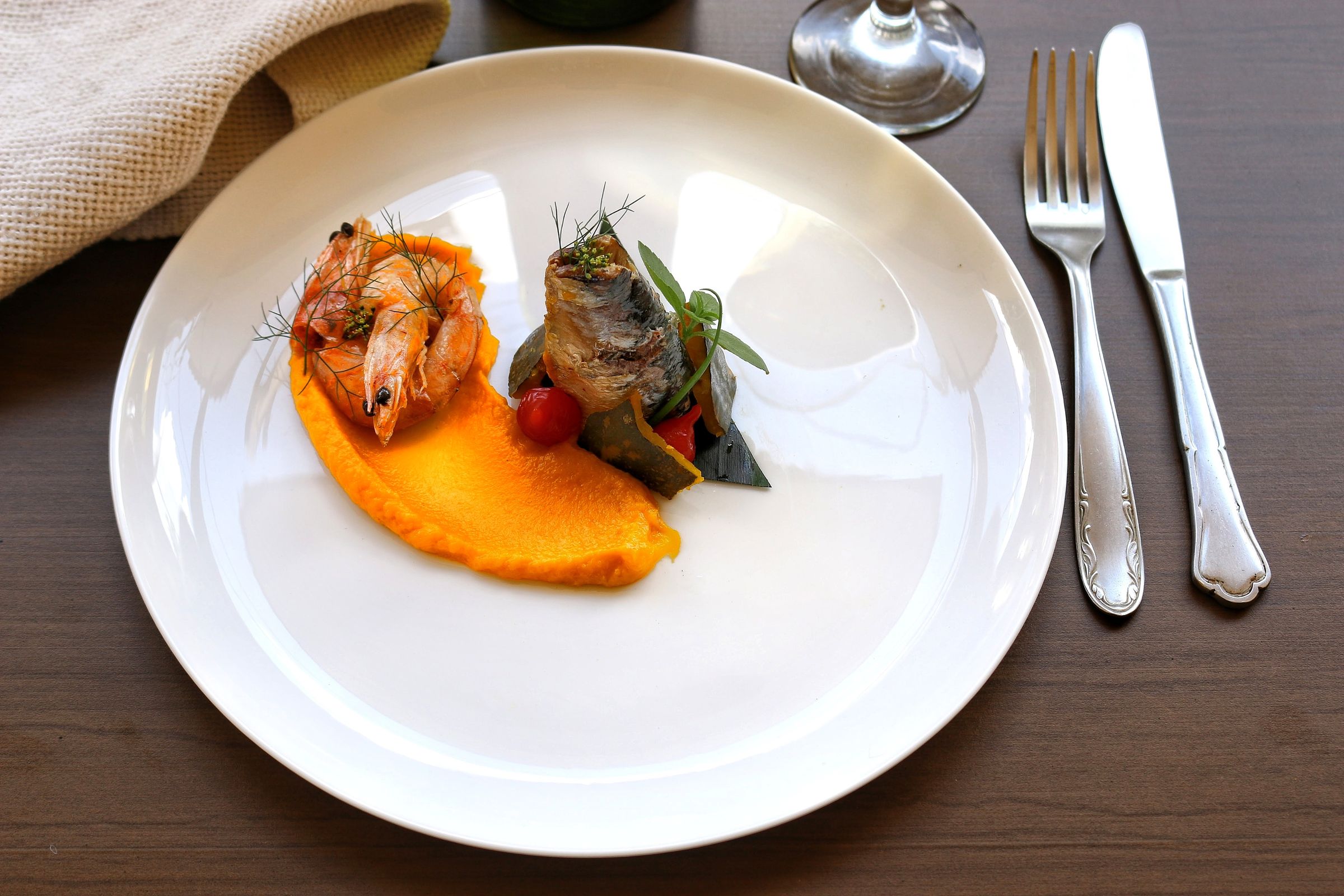
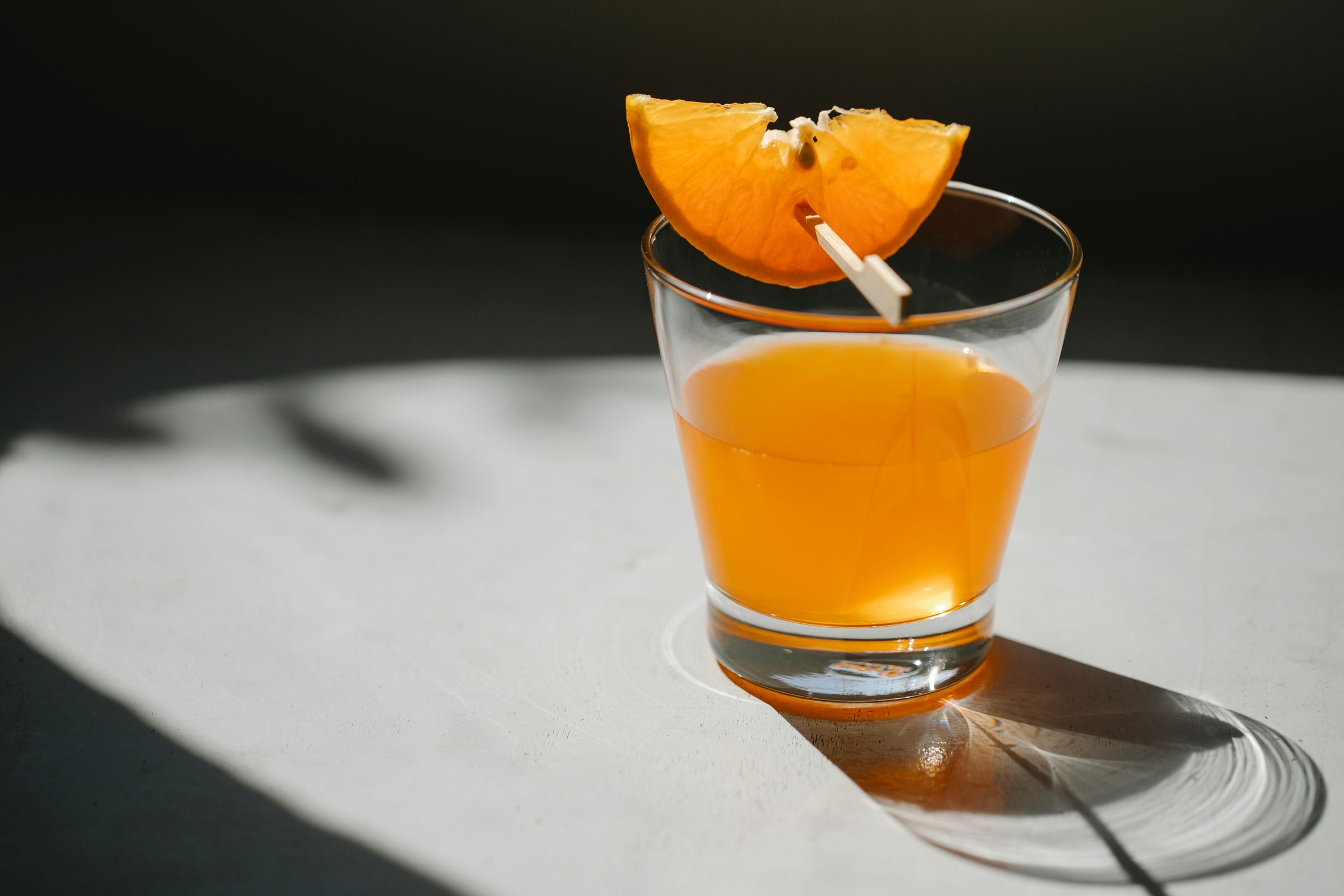
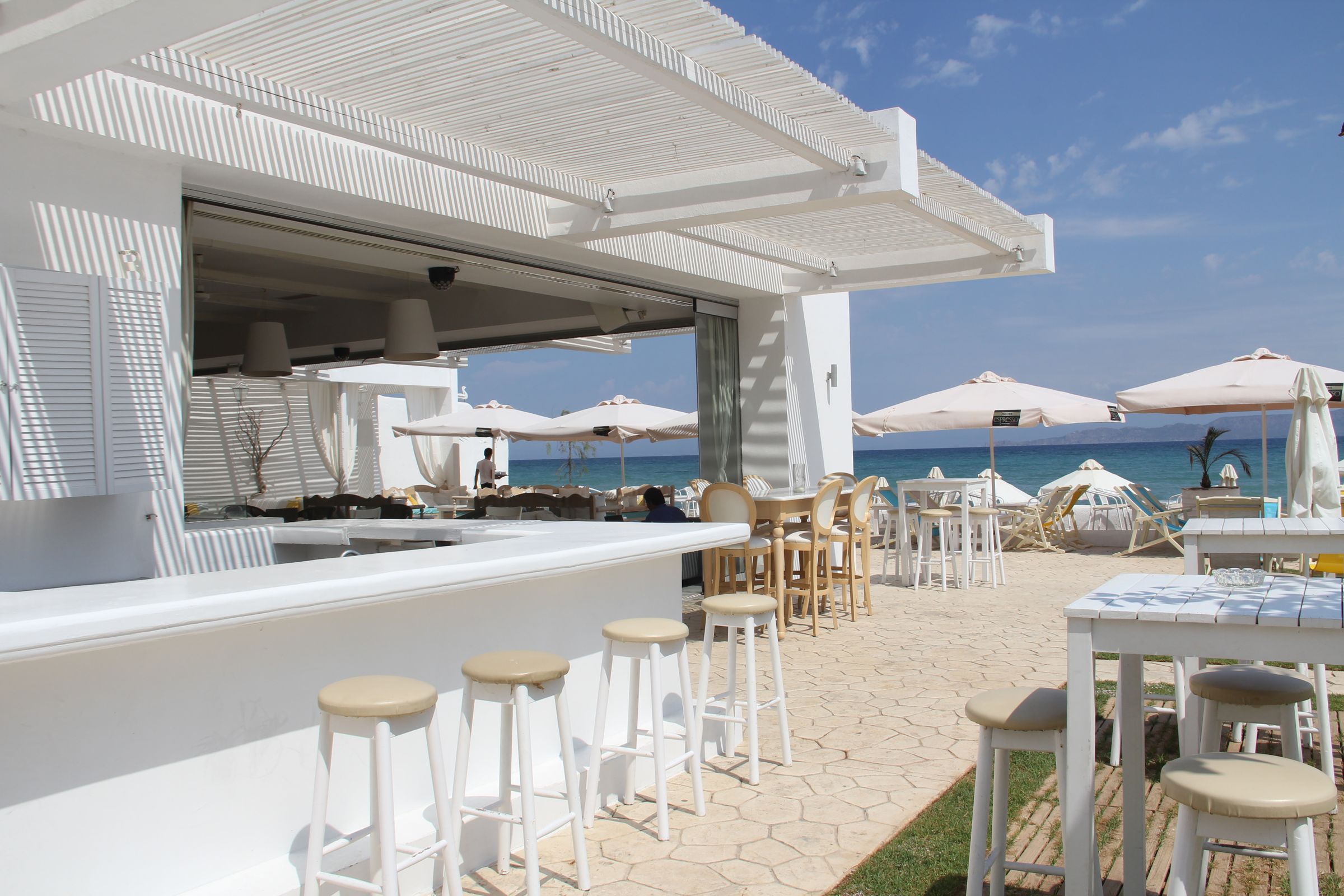
For a restaurant campaign, we supplied three real photographs: the exact dish, the exact drink and the seaside venue. The deliverable is a 4:5 feed ad, with a close food photograph, bold sans-serif copy and a small “Book a table” button. Each reference has a clear role in the finished creative.
Starting images
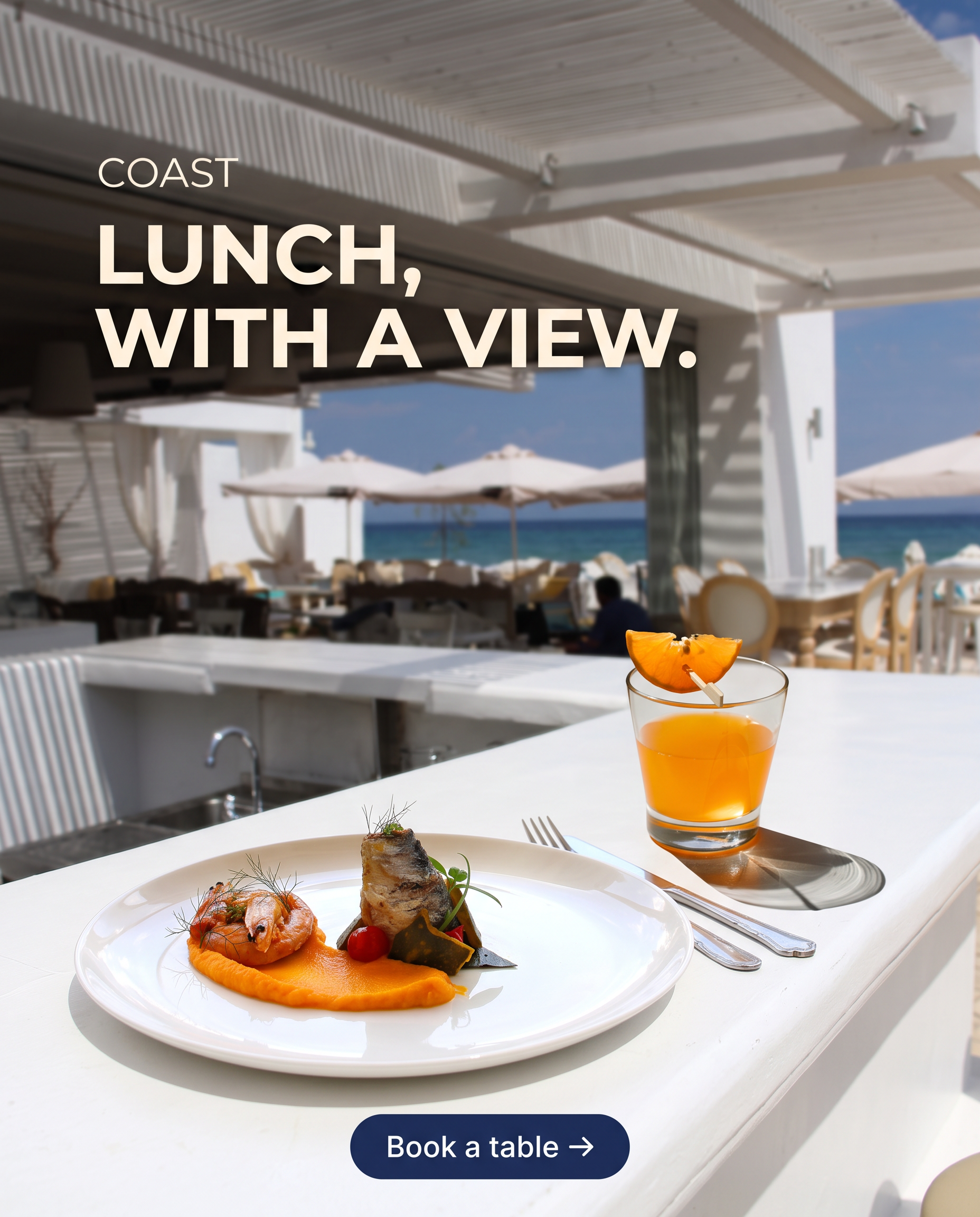
Nano Banana 2.1 · 2K
2.1 groups the headline into two lines, gives the plate breathing room and keeps the cocktail behind it. The navy call to action sits below the food.
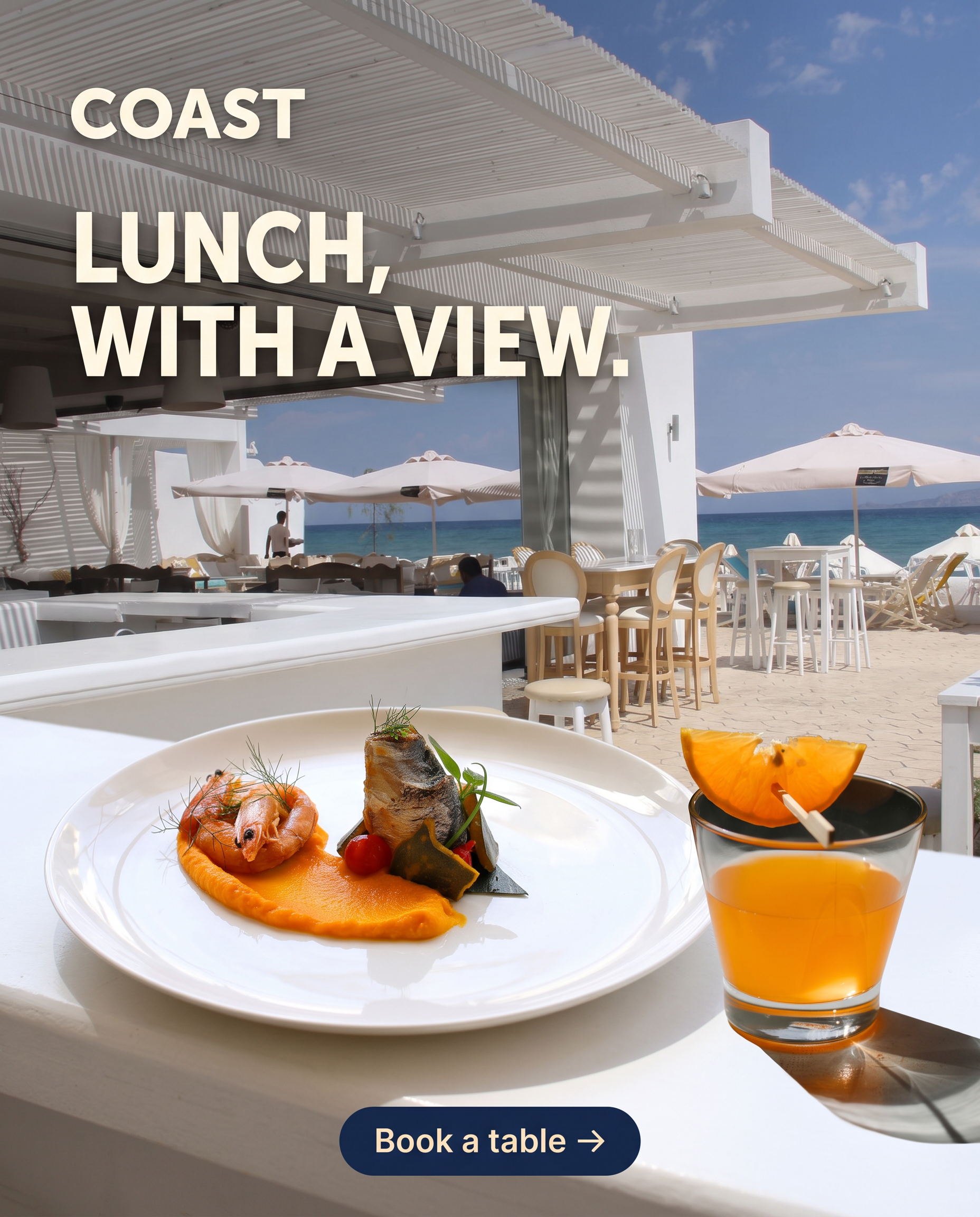
Nano Banana 2 · 2K
2 makes the plate and cocktail larger. Its framing is more tightly packed, with the glass close to the right edge.
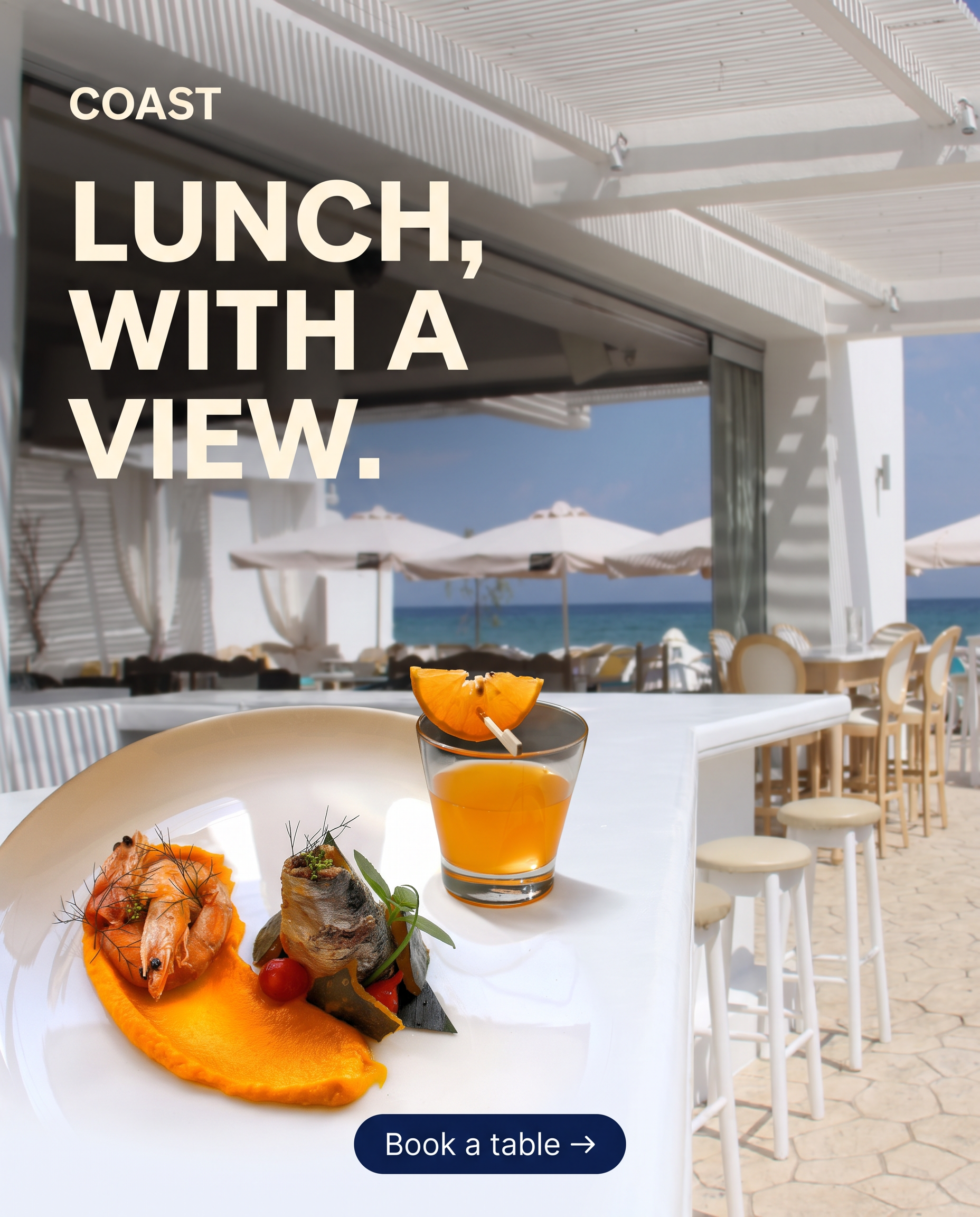
Nano Banana Pro · 2K
Pro breaks the headline across three lines and makes the food the largest element. The prawn presentation and portion scale differ visibly from the original photograph.
The same inputs can support different placements, but they do not guarantee an identical product. Review food quantities, garnish, glass shape and margins as carefully as the headline.
Read the exact prompt · 4:5 · same prompt for all three
Create a polished 4:5 Instagram feed advertisement for the fictional restaurant COAST from the same three supplied real photographs. Image 1 is the exact seafood plate: keep the prawn, rolled fish, orange purée, tomatoes, garnish and wide white plate recognisable rather than inventing a different meal. Image 2 is the exact low straight-sided orange cocktail with its orange-wedge garnish on a wooden pick. Image 3 provides the white open-air seaside bar, slatted pergola and blue sea. Bring the camera close enough that the full plate and glass are the appetising foreground heroes on the venue's white counter; retain a recognisable softly focused seaside setting. Match the products to the same bright daylight and plausible scale; no cut-out edges or multi-photo panels. Build the image as a contemporary art-directed social ad: generous safe margins, warm-white clean bold sans-serif text "LUNCH, WITH A VIEW." clearly readable in the upper left, a small "COAST" wordmark above it, and a compact tasteful navy pill at the lower edge containing exactly "Book a table →". Keep the food and drink unobscured and richly photographic; no other dishes, people, prices, venue names, logos or text. Deliver the finished digital creative, without a phone mockup or Instagram interface.
3. A new product colourway without redesigning the bag
A useful product edit can be very small. Take a real blue backpack and ask for forest-green canvas with chocolate-brown leather. Keep the actual bag, buckles, seams and photograph. This is a colourway test, with no new scene or person to invent.
Starting image
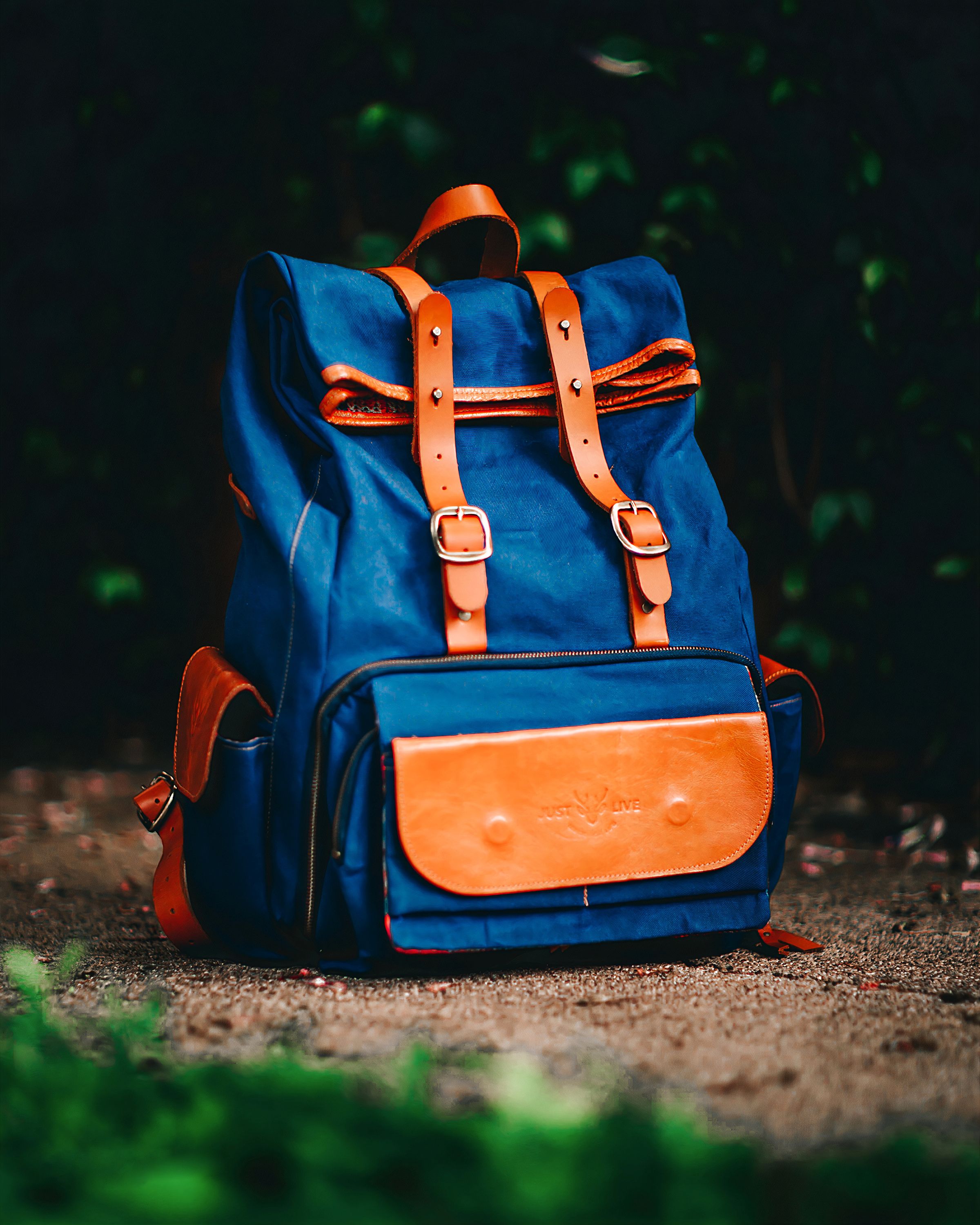

Nano Banana 2.1 · 2K
2.1 turns the main canvas green while keeping the brown front pocket, paired straps and worn fabric texture readable.

Nano Banana 2 · 2K
2 follows the same colour direction closely. The metal buckles and the separation between fabric and leather remain clear.

Nano Banana Pro · 2K
Pro also preserves the broad product design, with deep green folds and a darker leather pocket. At this scale the three results are quite close.
There is no need to manufacture a dramatic winner when the outputs are similar. Open them at full size and check the stitching, handle, buckles and colour boundaries. For a real catalogue, compare the result against the actual product and approved colour samples.
Read the exact prompt · 4:5 · same prompt for all three
Edit this product photograph to show a new colourway of the same backpack. Change only the blue canvas to deep forest green and the orange-brown leather to dark chocolate brown. Keep the exact backpack shape, leather front pocket, twin buckle straps, seams, handles, metal hardware, framing, original ground and lighting. Preserve realistic fabric texture and wear. Do not add logos, pockets, straps or accessories. It should look like another colour option of the same real product, not a redesigned bag.
4. Restyle a room while keeping its architecture
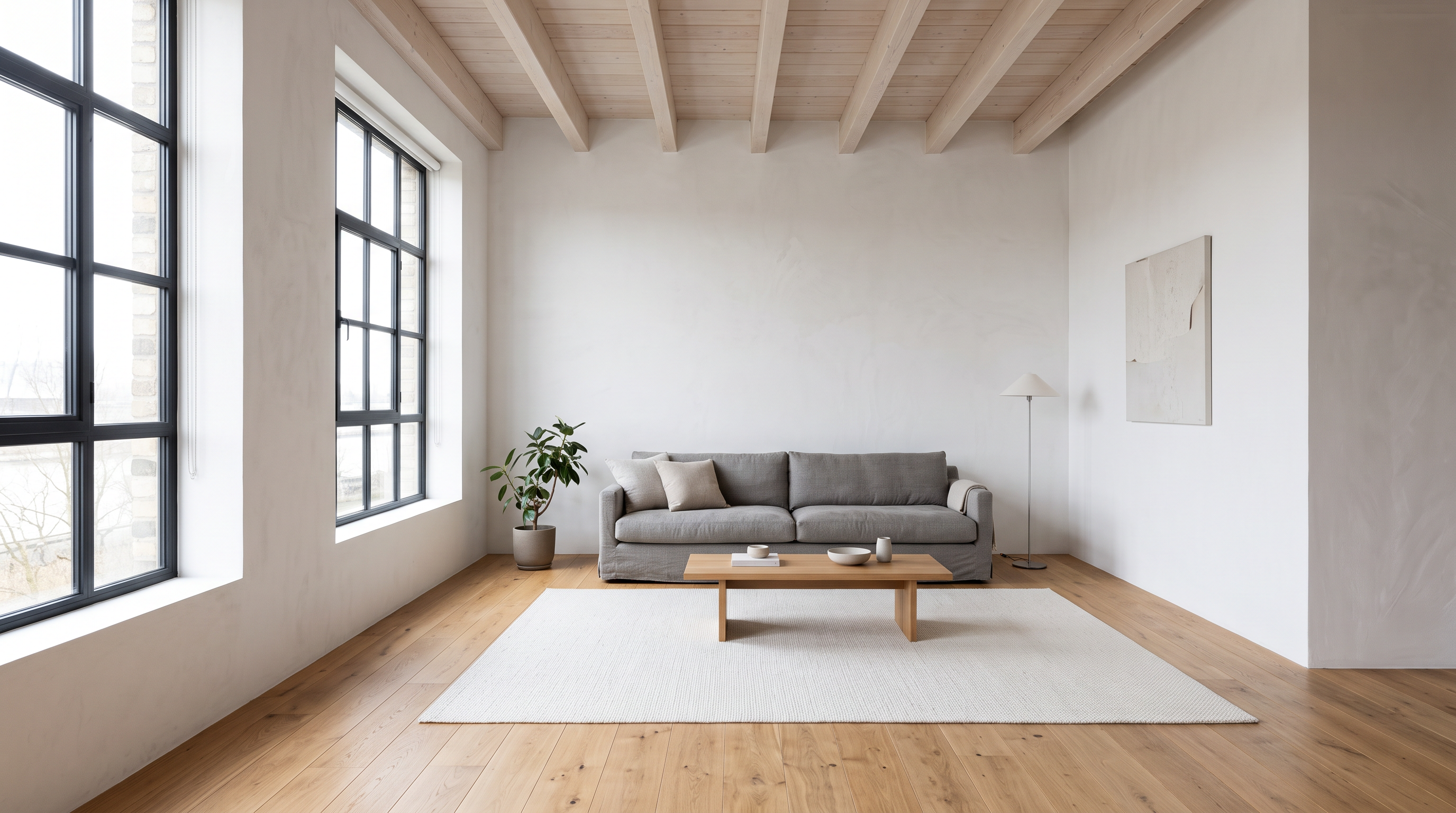
For an interior-design test, we first generated one neutral loft image, then gave that exact starting image to all three models. The edit asks for a rust sofa, walnut table, geometric rug and olive chair while preserving the windows, beams, floor and camera angle. The starting room is AI-generated, clearly labelled below.
Starting image
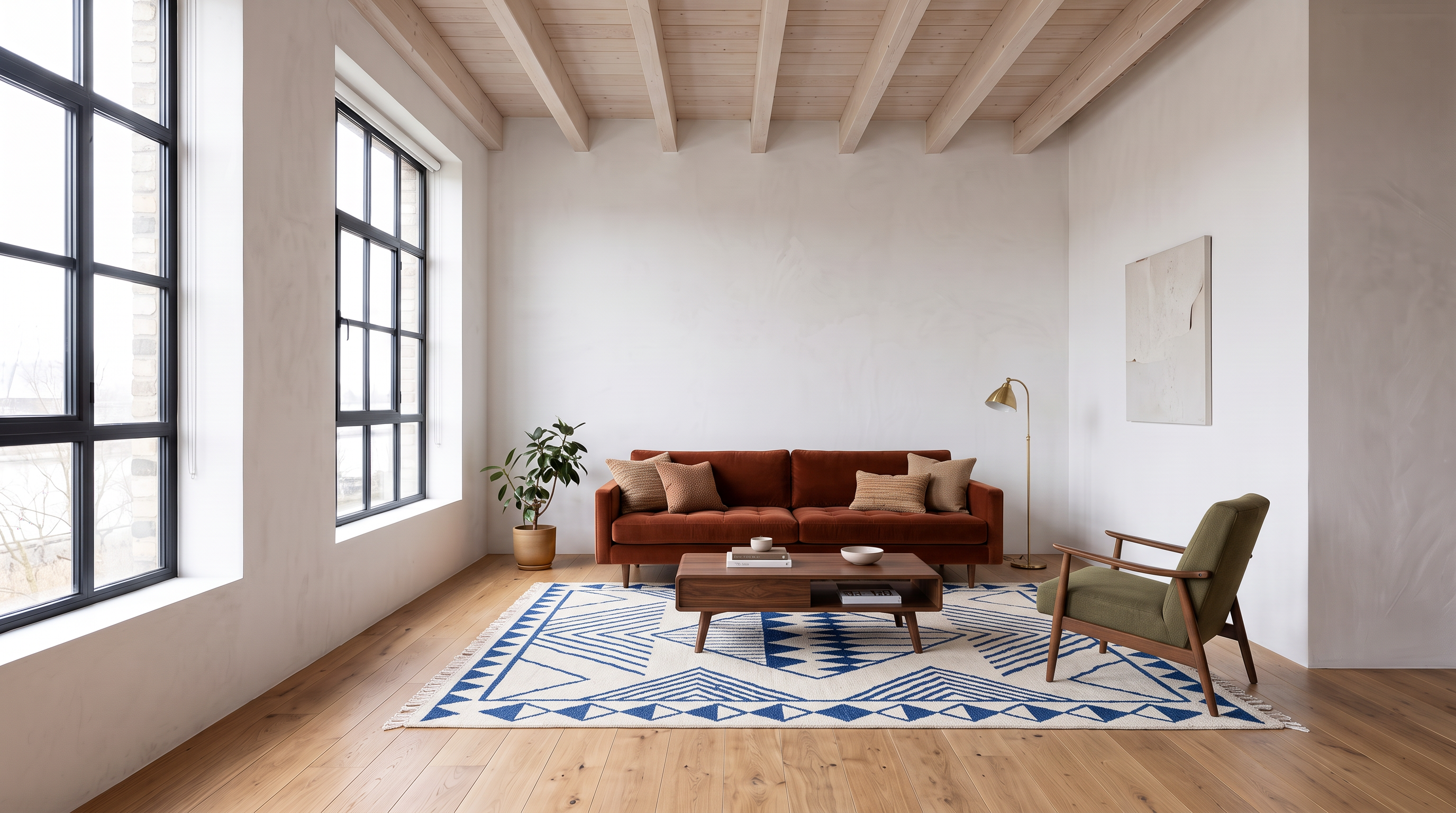
Nano Banana 2.1 · 2K
2.1 chooses a softly lit rust sofa, a repeating geometric rug and a compact walnut table, keeping the room’s large left windows.
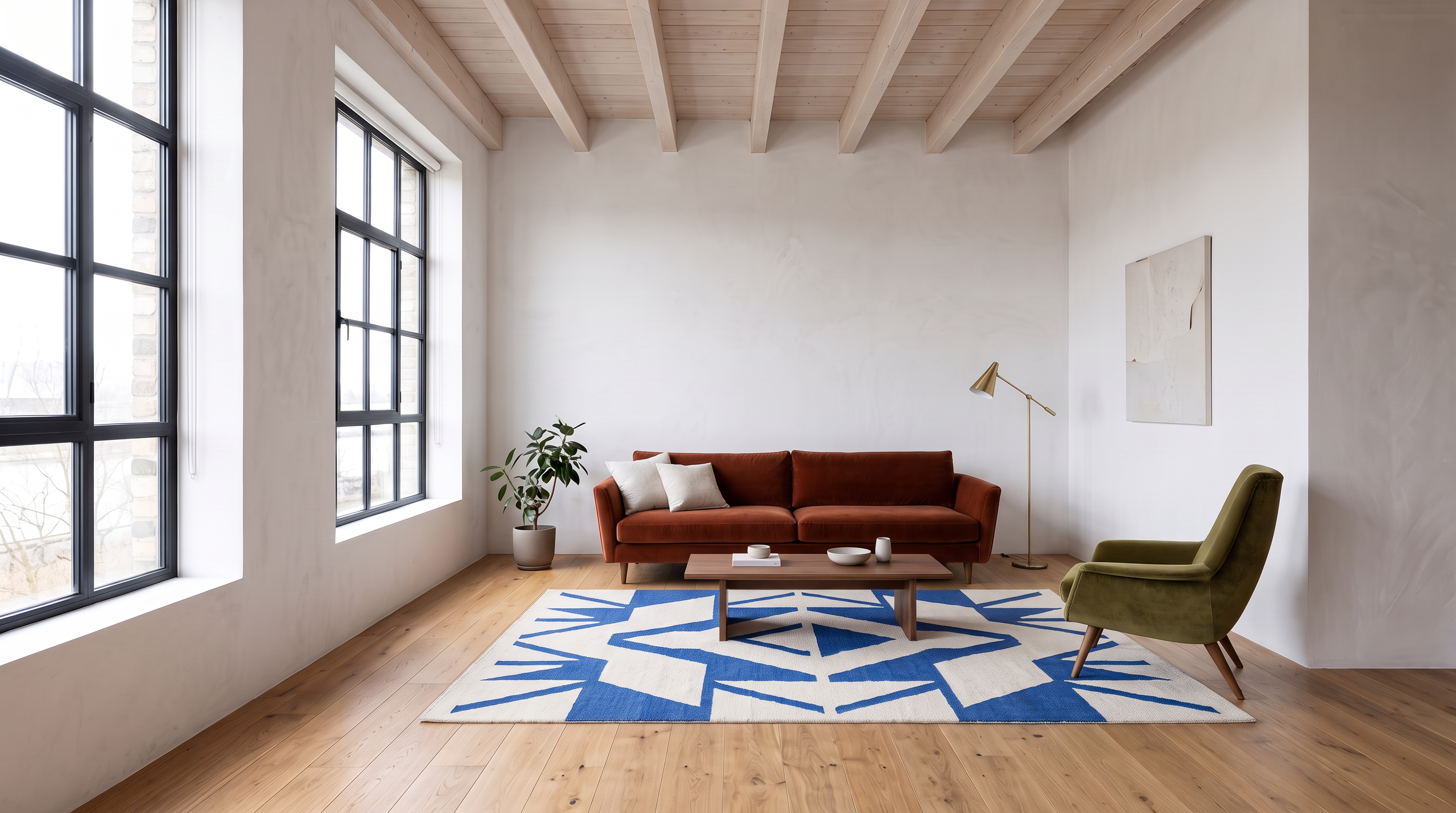
Nano Banana 2 · 2K
2 gives the rug a much bolder angular centre and changes the furniture proportions. Its arrangement remains anchored to the original room.
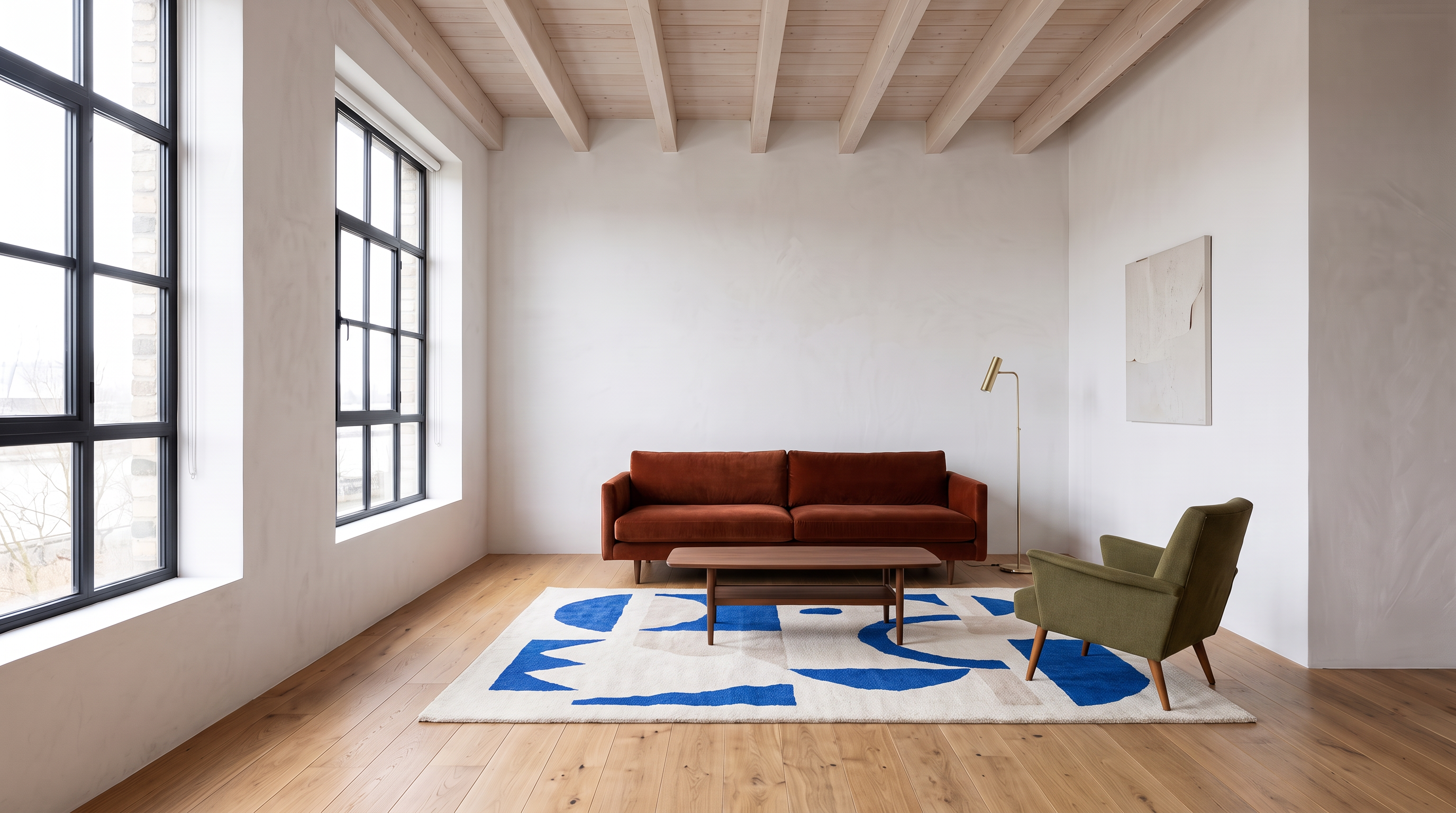
Nano Banana Pro · 2K
Pro chooses a darker sofa and a more painterly rug pattern. The architecture stays recognisable, but the requested geometric treatment is less literal.
These are useful directions for a room makeover, rather than accurate furniture specifications. Check that the architecture stayed put, then compare the scale of the sofa, walking space and light. The same edit can be tried with a photograph of your own room.
Read the exact prompt · 16:9 · same prompt for all three
Restyle this living room in a warm mid-century direction. Replace the grey sofa with a deep rust velvet sofa, add a low walnut coffee table, a cream-and-cobalt geometric rug, an olive reading chair and a small brass floor lamp. Keep the exact room layout, camera angle, large left windows, white walls, exposed ceiling beams, wooden floor and daylight direction. Fit the furniture naturally into the existing room at believable scale, with consistent contact shadows. Do not move the windows, change the architecture, add text or create extra rooms.
5. Three real photos into a polished restaurant poster
A restaurant rarely starts with a perfect campaign photograph. It has a dish, a drink and a picture of the venue. We supplied three real stock photographs and asked for a finished poster for an imaginary restaurant, COAST. Each reference has a clear role: the food, the glass and the setting.
Starting images
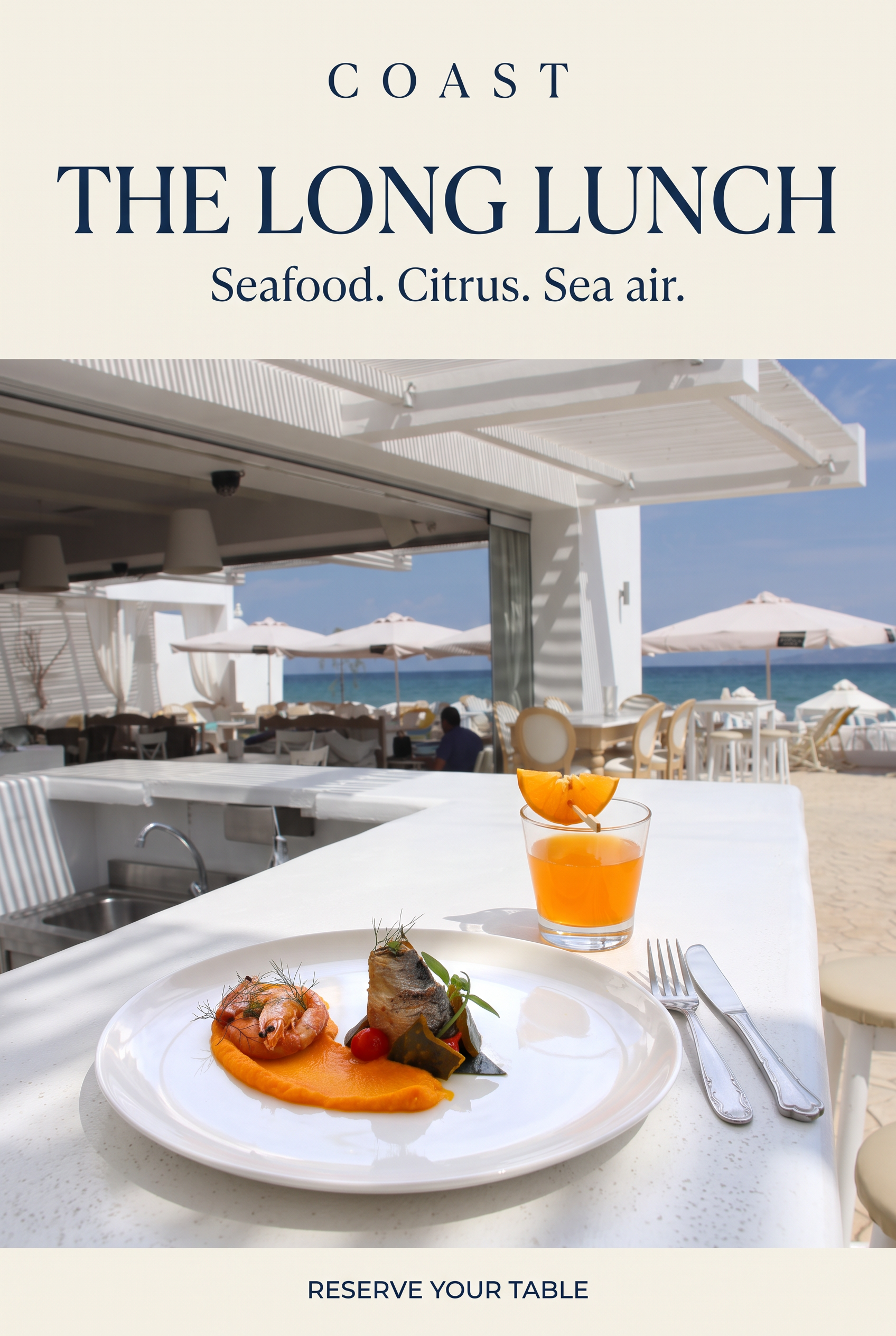
Nano Banana 2.1 · 2K
2.1 puts the plate close to the viewer, with the cocktail behind it. Its warm ivory header leaves a generous, readable area for the headline. The smaller COAST wordmark is widely spaced.
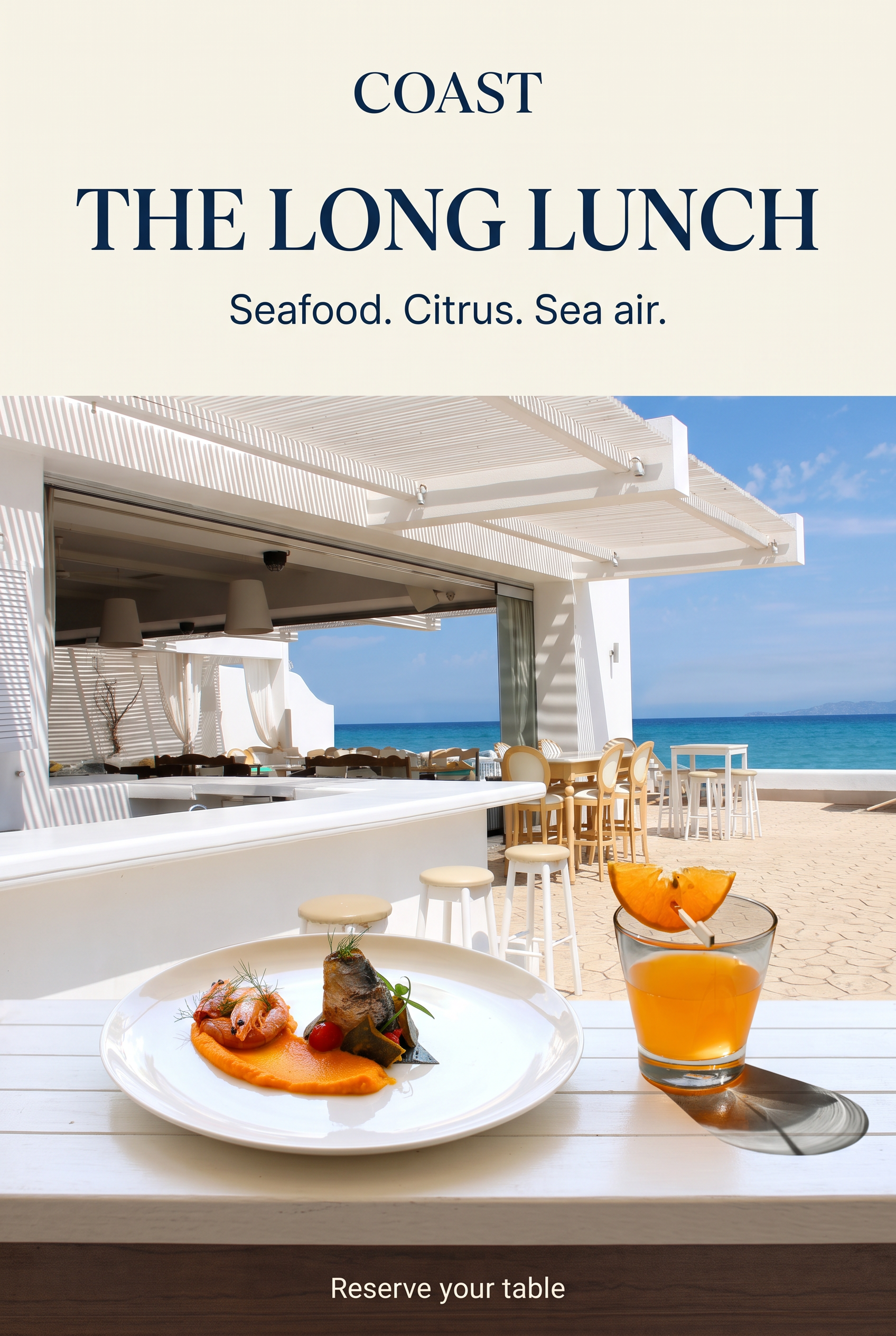
Nano Banana 2 · 2K
2 keeps more of the bar and sea in view, places the cocktail further forward, and uses a darker footer. It interprets the same brief as a more location-led composition.
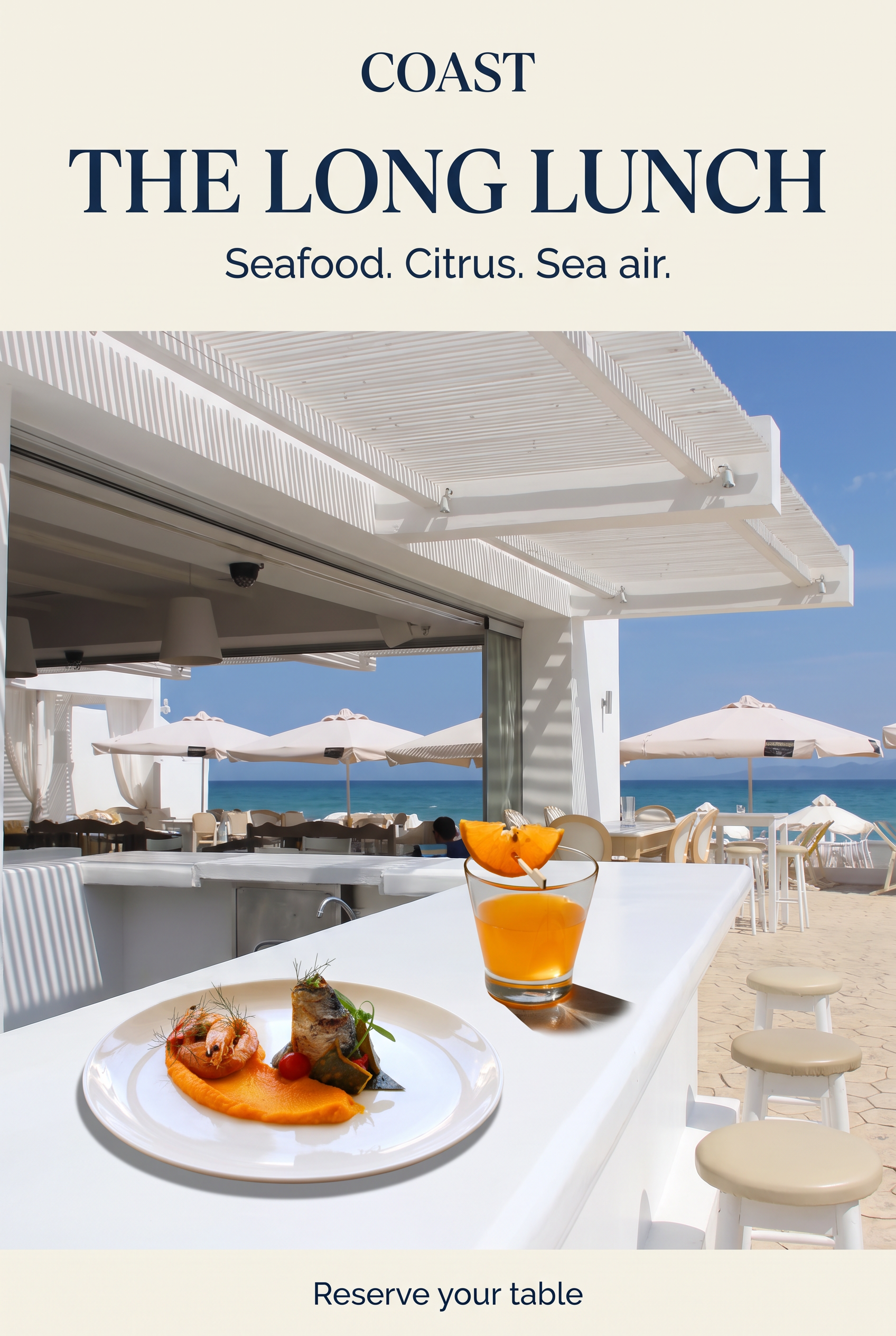
Nano Banana Pro · 2K
Pro brings the plate and glass together on a diagonal counter. The serif headline is compact and the venue still reads clearly, although the scale and arrangement of the meal need checking against the source.
All three produce readable main copy in this run. The useful difference is art direction: how much space goes to the food, the venue and the typography. Check the actual dish before using any result for a real menu campaign.
Read the exact prompt · 2:3 · same prompt for all three
Design a premium editorial restaurant poster for a fictional restaurant called COAST using these three real photographs. Image 1 supplies the exact plated seafood: preserve the white plate, orange purée, single prawn, rolled fish portion, tomatoes and green garnish, with their original recognisable arrangement and realistic quantities. Image 2 supplies the exact low clear orange cocktail glass and its two orange wedges on a wooden cocktail pick; keep that glass shape and drink, not an invented spritz. Image 3 supplies the real bright seaside bar with its white slatted pergola, white counter, pale stools and blue sea. Integrate the plate and cocktail into one believable close food photograph on the foreground white counter at this venue. You may move the camera closer while retaining those architectural cues and the sea; match the daylight, contact shadows, perspective and product scale. No collage boxes, pasted edges or extra dishes. The photograph fills the lower two-thirds of a vertical poster. The upper third is warm ivory with beautifully typeset deep navy text, a small elegant wordmark "COAST", large confident editorial serif headline "THE LONG LUNCH", and smaller line "Seafood. Citrus. Sea air." A restrained footer reads "Reserve your table". This is flat finished poster artwork, not a photo of a printed poster. Do not include any real venue name, prices, extra lettering or watermarks.
6. Change the jacket, keep the person and photograph
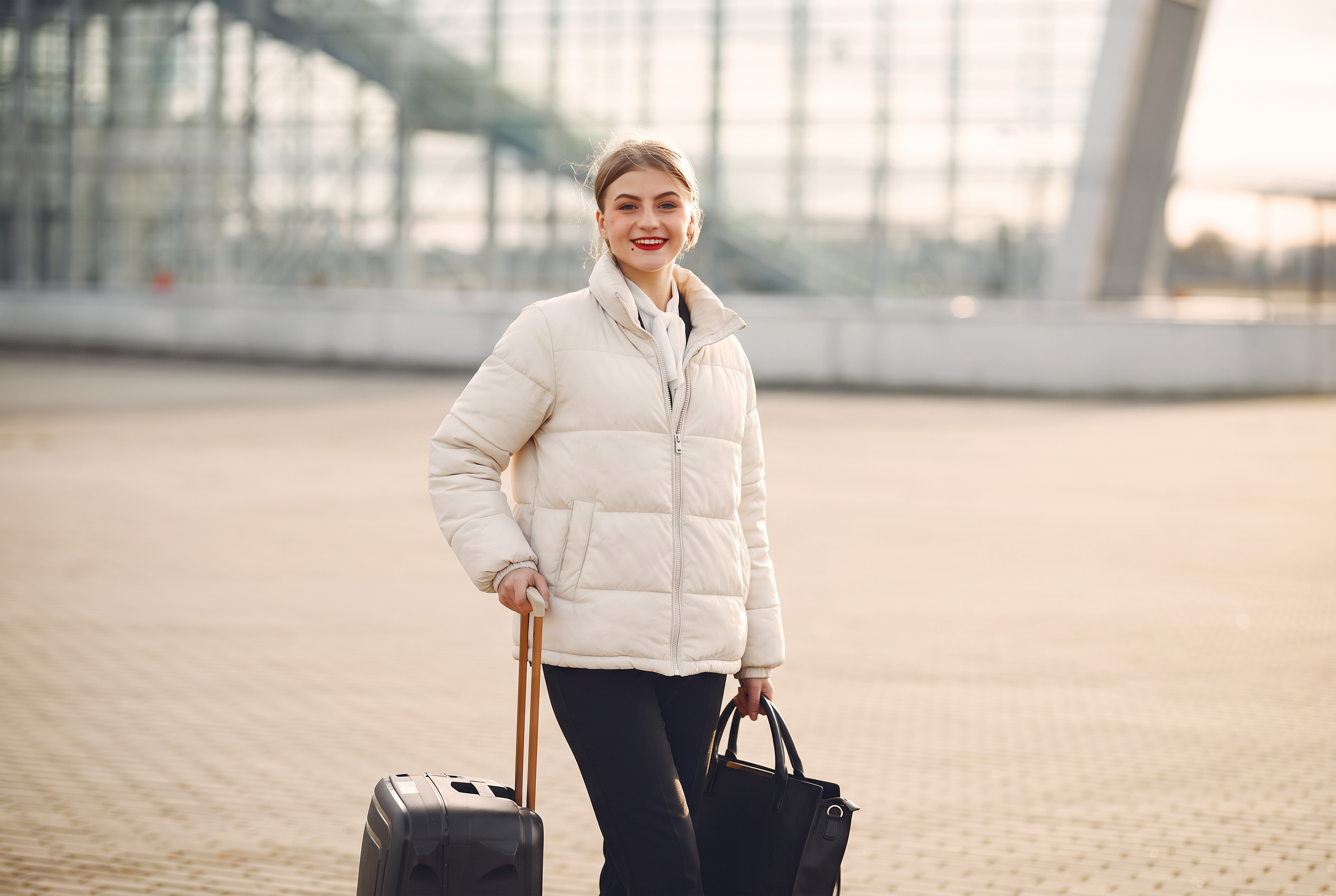
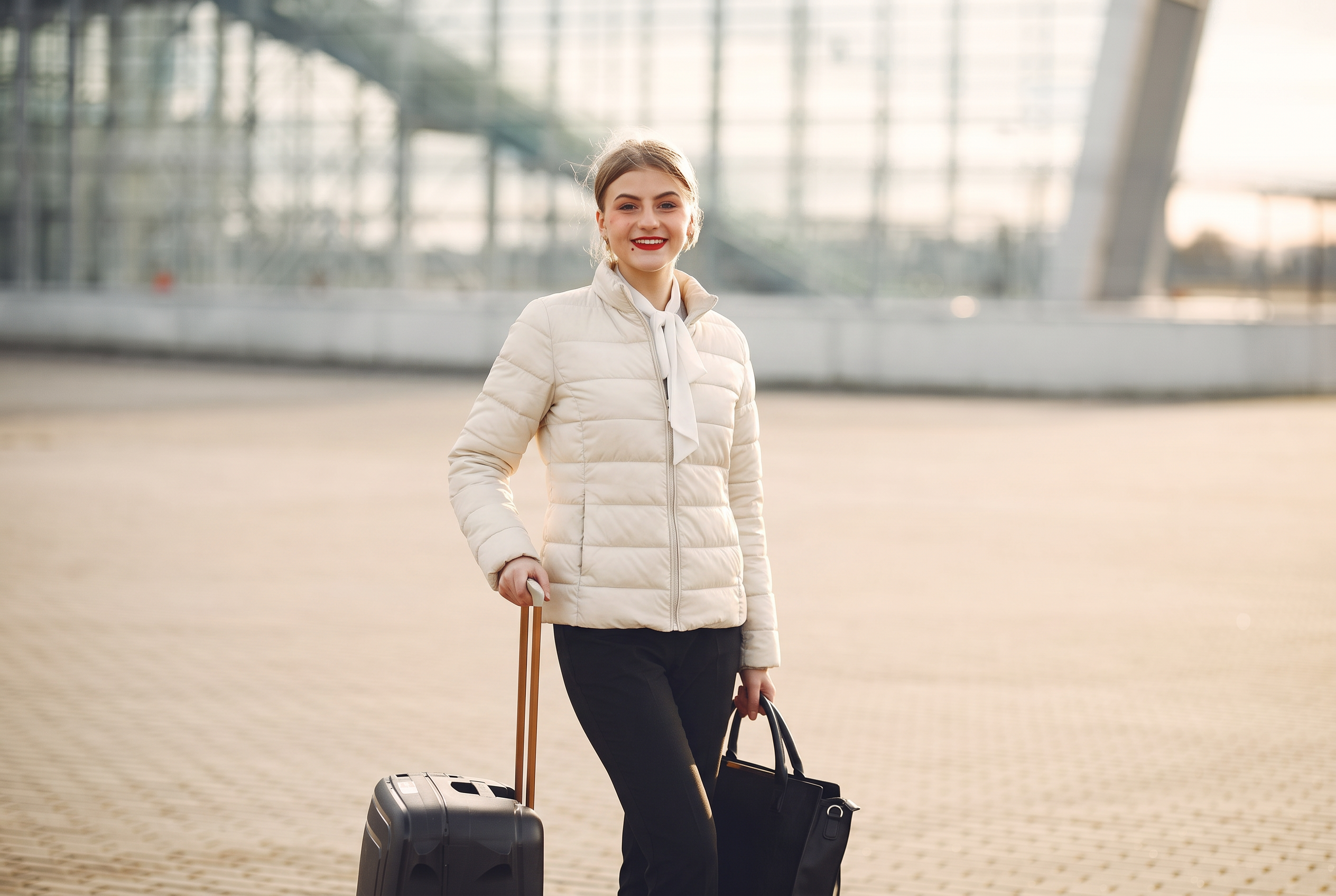
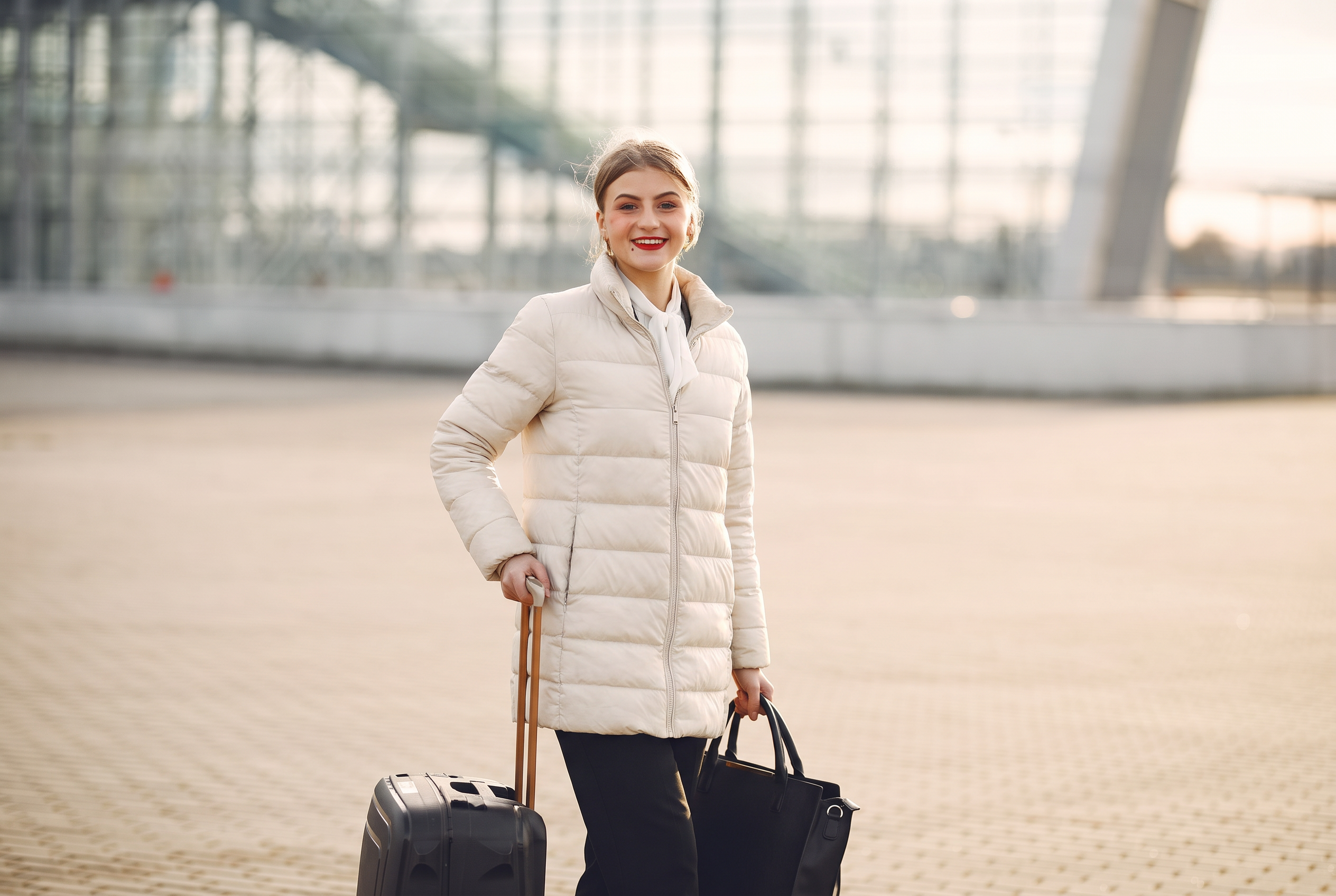
Now for a much narrower task. Replace the woman’s checked coat with an ivory quilted jacket. Keep her face, scarf, hands, pose, luggage and airport setting. One photograph, one edit prompt; no replacement outfit reference.
Starting image
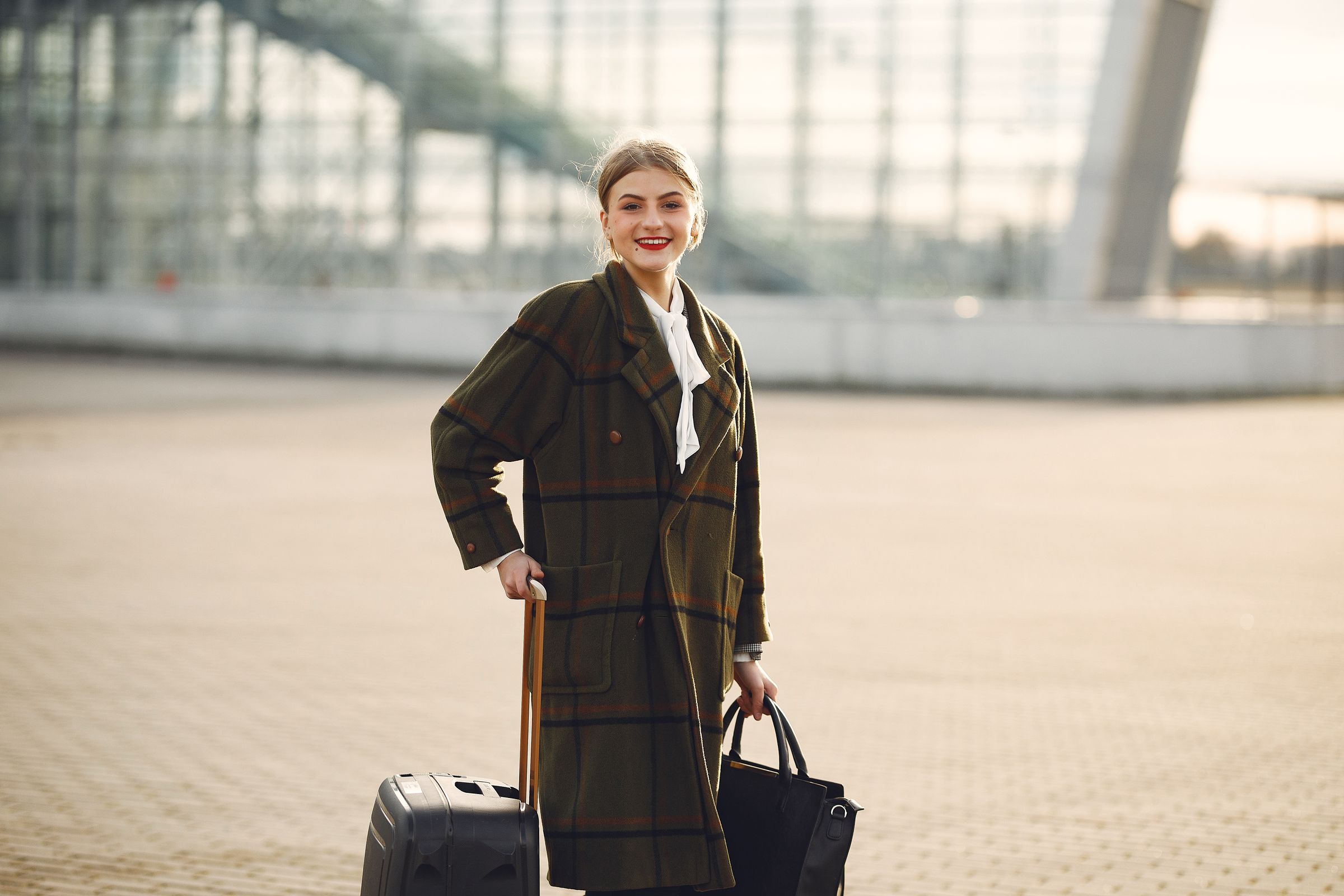
Nano Banana 2.1 · 2K
2.1 creates a longer jacket with broad horizontal quilting and two visible front pockets.
Nano Banana 2 · 2K
2 chooses a shorter, more fitted jacket with narrower baffles. It exposes more of the original trousers.
Nano Banana Pro · 2K
Pro also chooses a longer cut, with a more closely fitted waist and distinct pocket seams.
The instruction “ivory puffer jacket” still leaves room for design choices. If you are selling a specific garment, supply that garment as a reference. For exploring a new look, a focused prompt is a useful starting point. Inspect the cuffs, zip and hand contacts at full size.
Read the exact prompt · 3:2 · same prompt for all three
Make one focused wardrobe edit to this real photograph. Replace only the woman's long dark checked coat with a professionally styled warm-ivory quilted puffer jacket, with realistic horizontal baffles, a short stand collar, a matte front zip and a neat hip-length hem. Preserve the exact real woman: her face, smile, eyes, skin tone, hair, white neck scarf, hands, pose and body proportions. Keep her original black handbag, rolling suitcase, airport architecture, framing, camera perspective, daylight and background blur unchanged. Fit the jacket naturally over her body and around the same arm positions; the hand-to-bag and hand-to-suitcase contacts must remain believable. Do not add accessories, text, extra people, beauty retouching or a new background. This should look like the original photograph with only the coat professionally replaced.
7. A new hairstyle without a new face
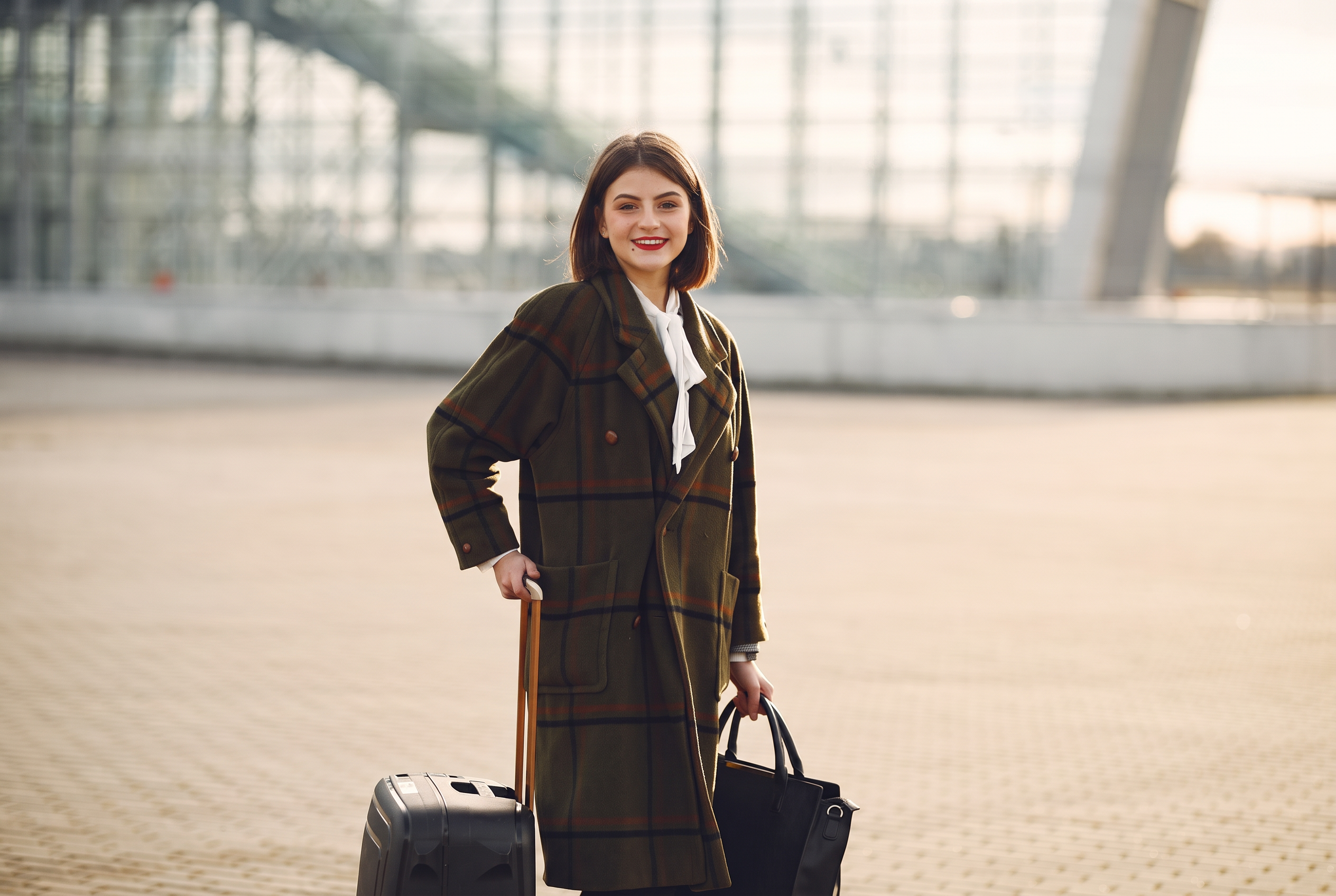
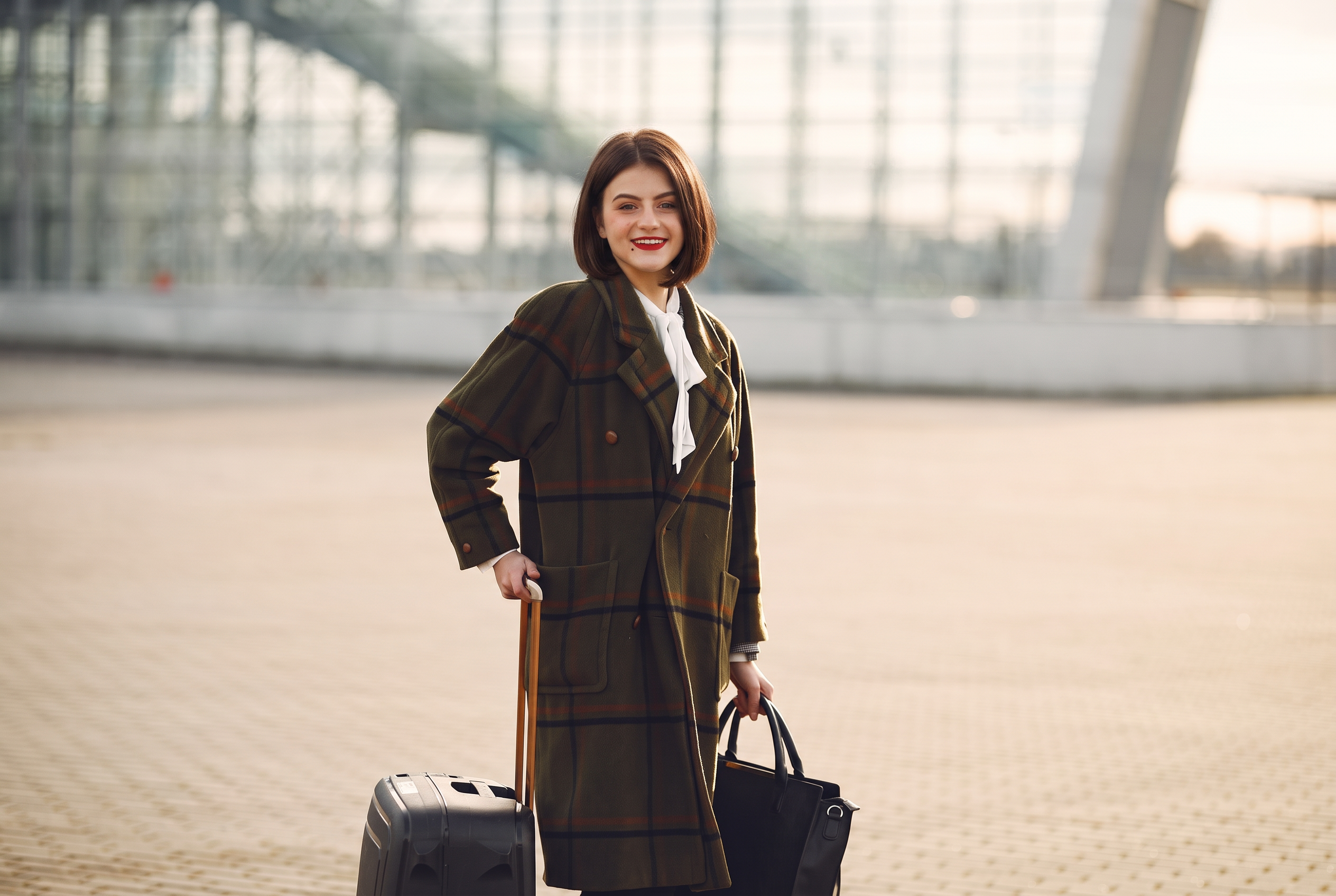
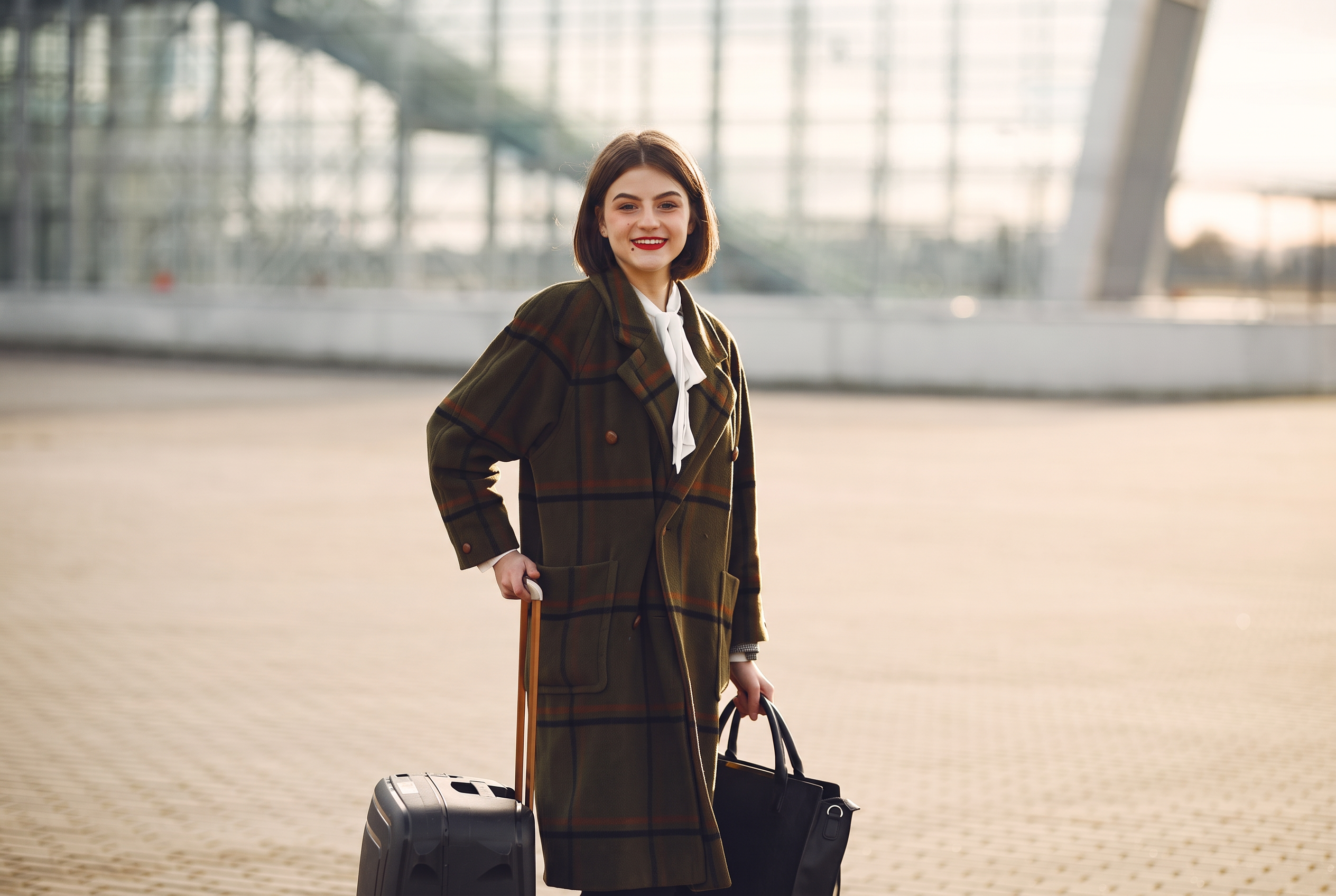
Change only the hairstyle: a chin-length dark-brown bob with a soft side part. The subject’s face is the point of this test. A convincing haircut is less useful if the edit also gives you a different person.
Starting image
Nano Banana 2.1 · 2K
2.1 gives the bob a softer, slightly longer outline around the jaw, with warm light on the hair edges.
Nano Banana 2 · 2K
2 adds more width and volume around the cheeks, with a more rounded silhouette.
Nano Banana Pro · 2K
Pro produces a shorter, tidier outline with more noticeably turned-in ends.
All three follow the broad hairstyle instruction. None should be treated as a pixel-locked retouch: compare the eyes, smile, jawline and skin with the original. Open the full-size results below before choosing one.
Read the exact prompt · 3:2 · same prompt for all three
Make a precise hairstyle edit to this real photograph. Give the woman a natural chin-length dark-brown bob with a soft side part and subtly turned-in ends, replacing her existing pulled-back hairstyle. Preserve her exact real face, smile, eyes, eyebrows, nose, skin texture, skin tone and head position. The bob should frame the same face naturally, with believable hair strands and the original daylight. Keep her checked coat, white neck scarf, pose, hands, original handbag and suitcase, airport background, framing, depth of field and every other part of the photograph unchanged. Do not beautify, de-age, reshape her face, add makeup or accessories, change the outfit or create a different woman. No text or collage.
8. Change the setting with a normal edit prompt
For the environment test, we used the original photograph and a short normal editing prompt. Change the airport to an autumn park. Keep the woman and her possessions. There is no second location image to match and no multi-image compositing instruction.
Starting image
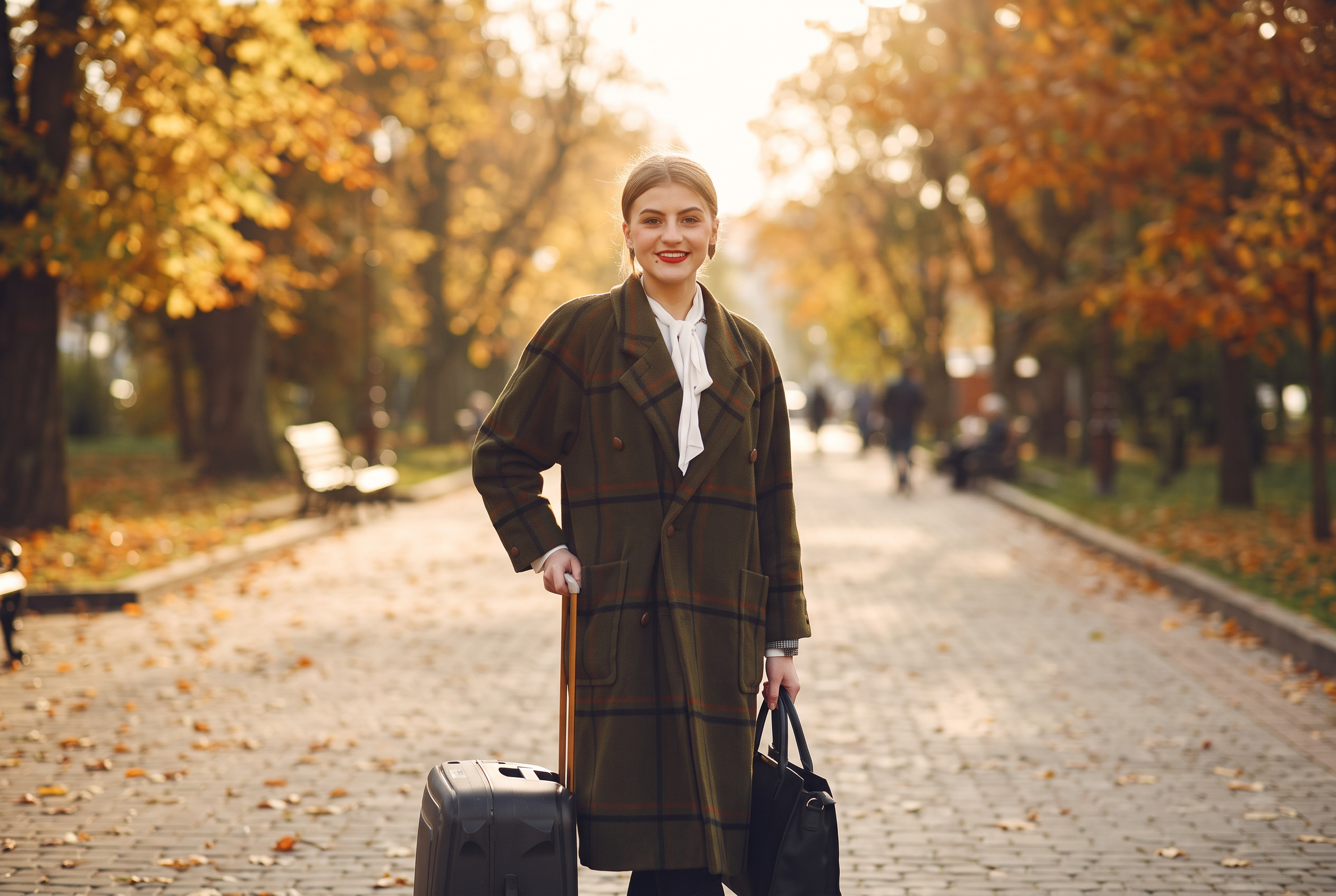
Nano Banana 2.1 · 2K
2.1 places the traveller on a broad, sunlit path with golden trees and a strong opening behind her. The light and hair rendering change along with the background.
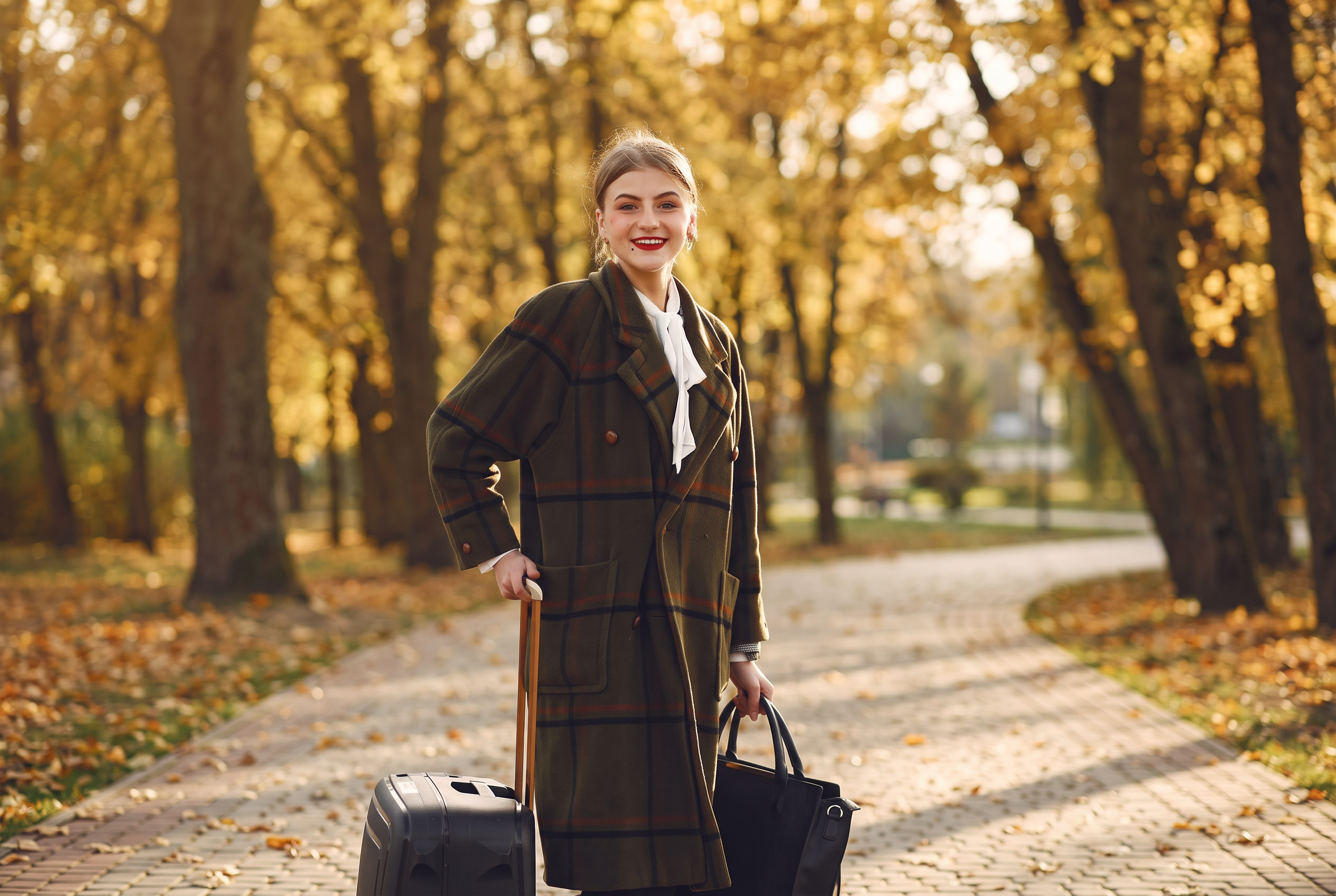
Nano Banana 2 · 2K
2 chooses a more enclosed path and a greener, softer background. The original checked coat and luggage remain recognisable.
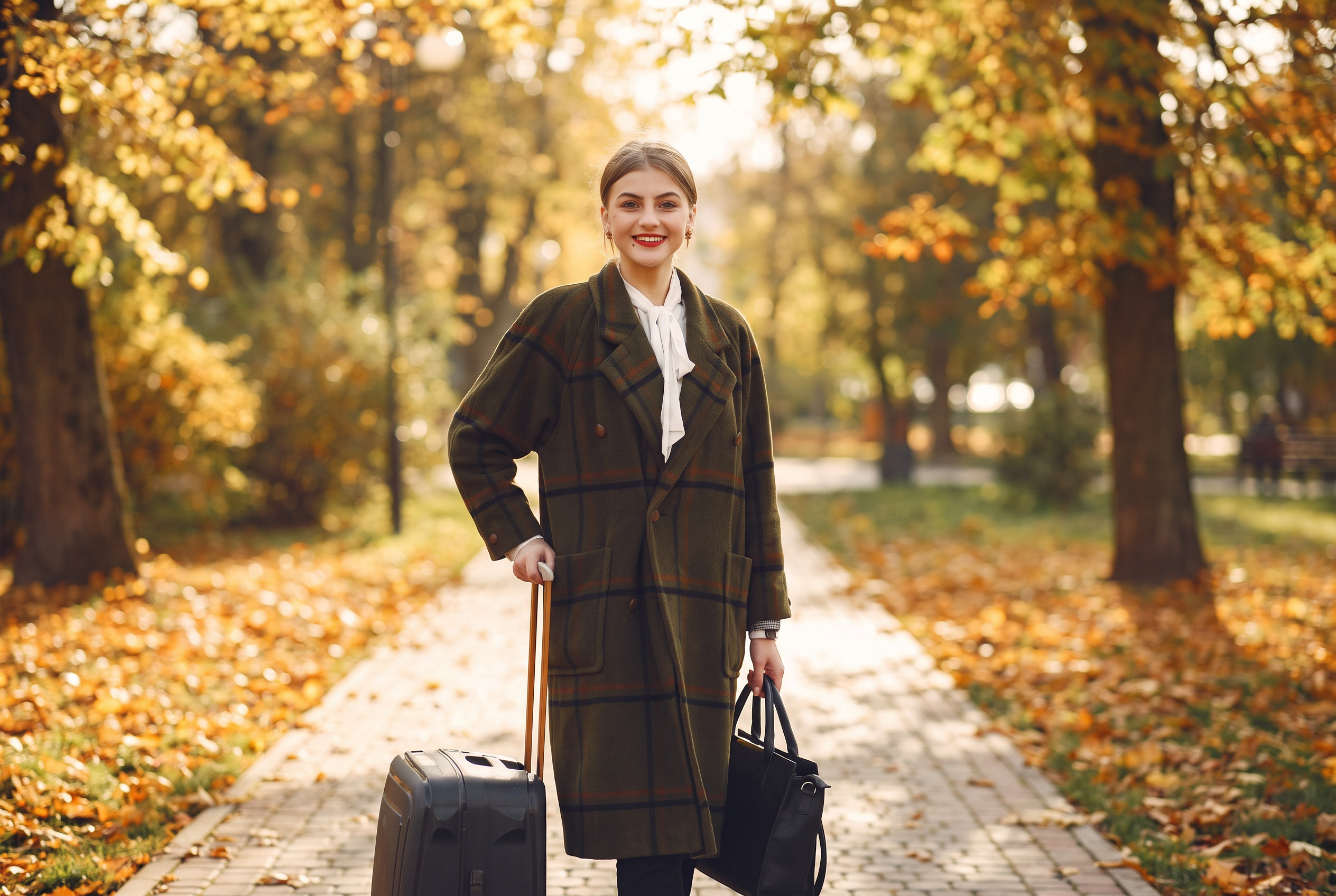
Nano Banana Pro · 2K
Pro uses a brighter canopy and a path that curves behind the subject. The new setting also changes the balance of light on the face and coat.
A short prompt is enough to explore a different setting. “Keep the person” is still an instruction, not a guarantee of exact identity or unchanged pixels. If an edit drifts, narrow the request and compare it with the original before continuing.
Read the exact prompt · 3:2 · same prompt for all three
Change the airport background to a leafy city park in autumn, with a paved path, golden trees and soft afternoon sunlight. Keep the same woman, face, hairstyle, checked coat, scarf, pose, handbag and suitcase. Preserve the original camera angle, framing and subject size. Match the light naturally. No text or added objects.
Which model would we start with?
Nano Banana 2.1 is the new image default in Creativly. In these runs it handles both the broader ad layouts and the focused photo edits well enough to be a useful first choice. That does not make every result better: Nano Banana 2 and Pro produce different framing, garment shapes and typography that you may prefer for a particular brief.
| Your task | What to inspect before choosing |
|---|---|
| A finished ad | Exact wording, text hierarchy, safe margins and product fidelity. |
| A clothing or hair edit | Face, hands, seams and whether unrelated details drifted. |
| A different environment | Light on the subject, ground contact, perspective and belongings. |
A useful prompt names the change and the things you care about preserving. Start simply. Add constraints when you see a specific failure, rather than filling every request with a long list of possibilities. For a particular product or garment, use an accurate reference and check the result against it.
Keep the edits connected in Flow
The same tests also make a useful small workflow. In Flow, open Templates and start with One prompt · three Nano Banana models. One text node feeds Nano Banana 2.1, Nano Banana 2 and Pro. Each output below was made from that same ceramics-studio brief. Change the prompt once to explore another idea across the three branches.
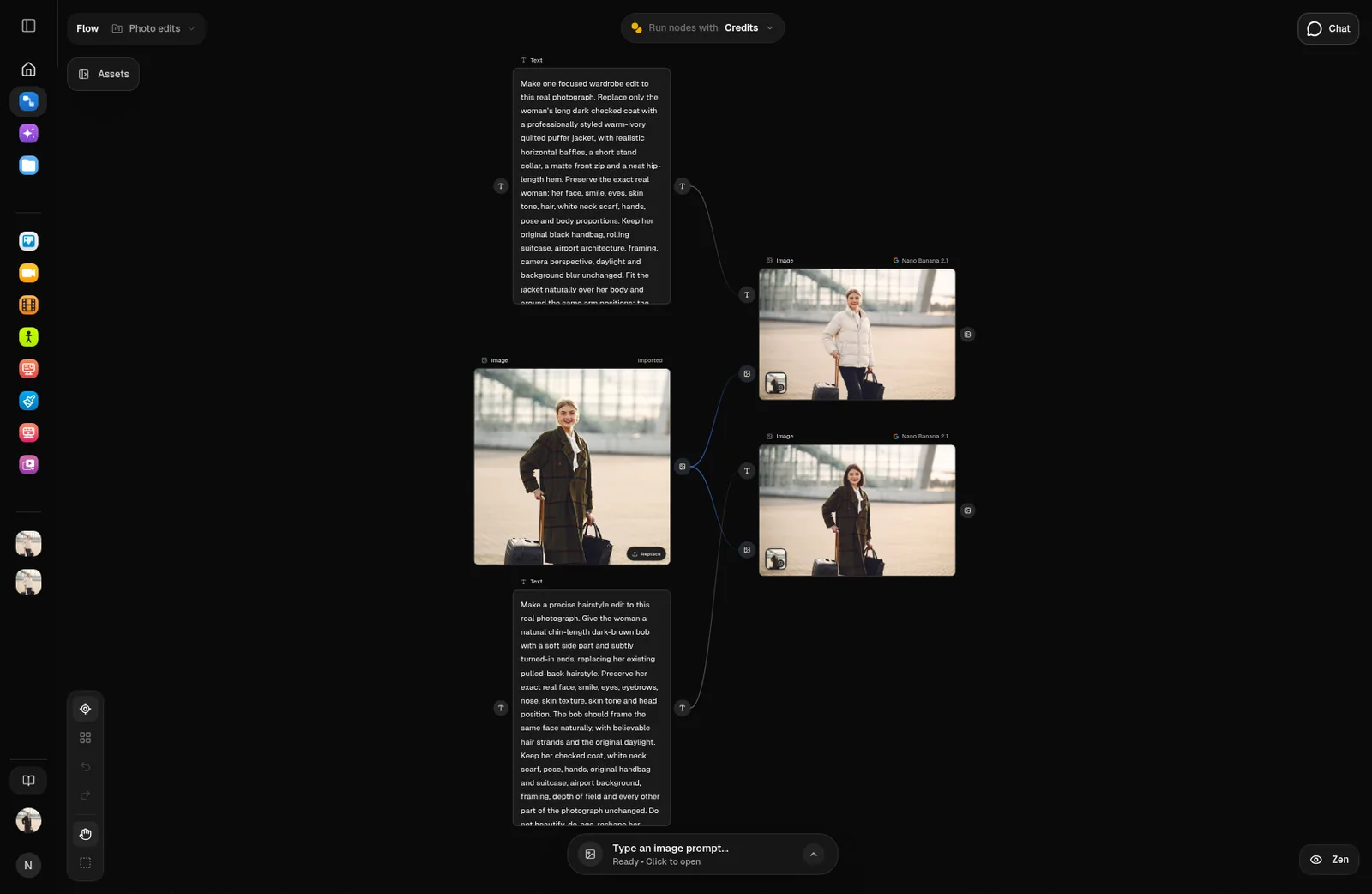
For an editing example, choose Focused photo edits · Nano Banana 2.1. The original photograph feeds two image nodes: one changes the jacket, the other changes the hairstyle. Each node keeps its own instructions and completed result.
These are independent branches from the original, so the hairstyle edit does not accidentally inherit the puffer jacket. Replace the source with your own photograph, adjust either prompt, and run the branch you need. The two views below show the actual Flow workspace with those real results.
Try Nano Banana 2.1 in Creativly
- Open an Image session. Nano Banana 2.1 is selected by default for new work.
- Write a prompt to generate an image, or upload a photograph and describe the edit. Choose the aspect ratio and resolution for the actual placement.
- Review the displayed credit cost, generate, and inspect the full result. Keep an original nearby when identity or product details matter.
Nano Banana 2 and Pro remain available for comparison. Existing work keeps its selected model. You can also ask Creative Agent to use Nano Banana 2.1. Flash conversation now uses Gemini 3.8 Flash; that is the chat model, separate from the image model that makes the output.
A few useful details
Can I reuse these exact prompts and references?
Yes. The comparison session keeps the exact prompt, model, reference images and 2K setting beside each result. Use Reuse to prepare an edit, or replace the photographs with your own.
Does 2K mean every output is 2048 × 2048?
No. The image dimensions depend on the chosen aspect ratio. These are the provider’s 2K outputs, shown without stretching or cropping the composition. The downloaded originals retain their delivered dimensions.
Are these exact photo retouches?
They are generative edits. Even a focused change can alter a face, a product detail or a background. Use the full-size comparison to check what matters, and keep the original if the output is not faithful enough for the job.
Tested 31 October 2026. All results shown are individual completed generations at the same requested 2K setting. Original photographs are credited beside each example and are available under the Pexels licence.