
 Explore AI VFXOpen the Creativly Restyle preview
The performance works. The location doesn’t. Or the location is right, but you want a different light, a stranger detail, a world that couldn’t have been there on the day.
That’s the idea behind Creativly Restyle: start with a shot, then decide what it could become. Replace the background. Restyle a character. Turn an ordinary object into something impossible. Keep the parts that make the footage yours.
This is video-to-video editing, not a request to invent another take from scratch. The source gives you a performance, a camera and a sequence of events to work from. Your creative direction tells the edit what should change—and what matters enough to keep.
A quiet read. An extraordinary view.
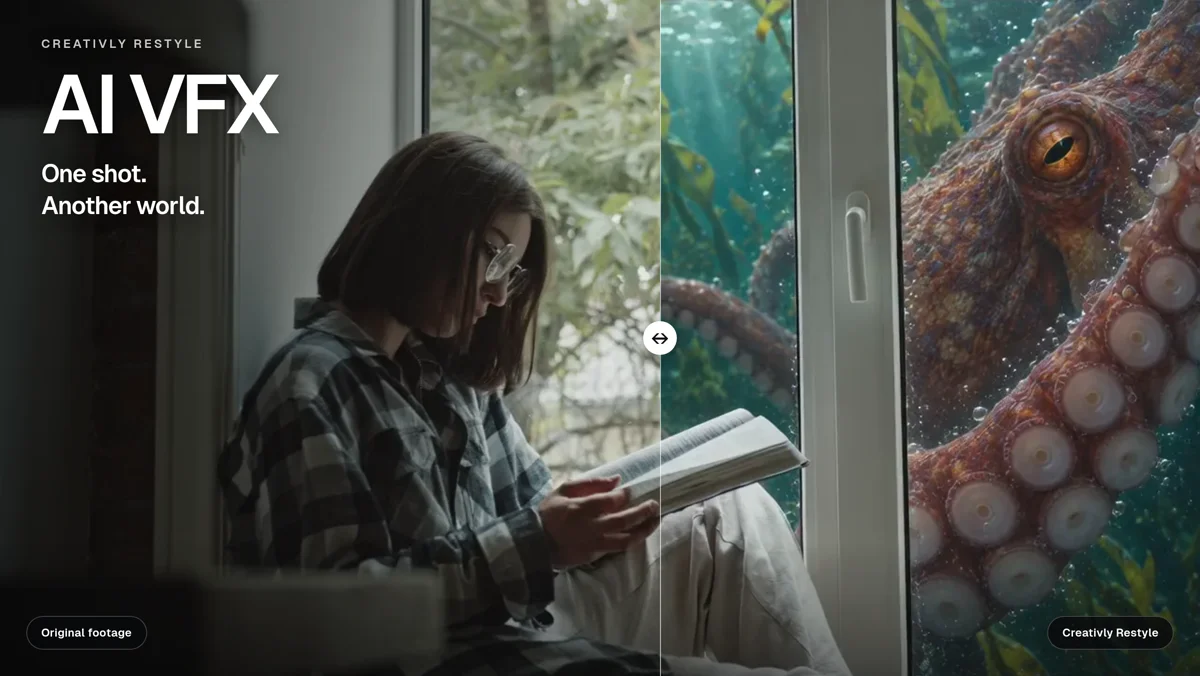
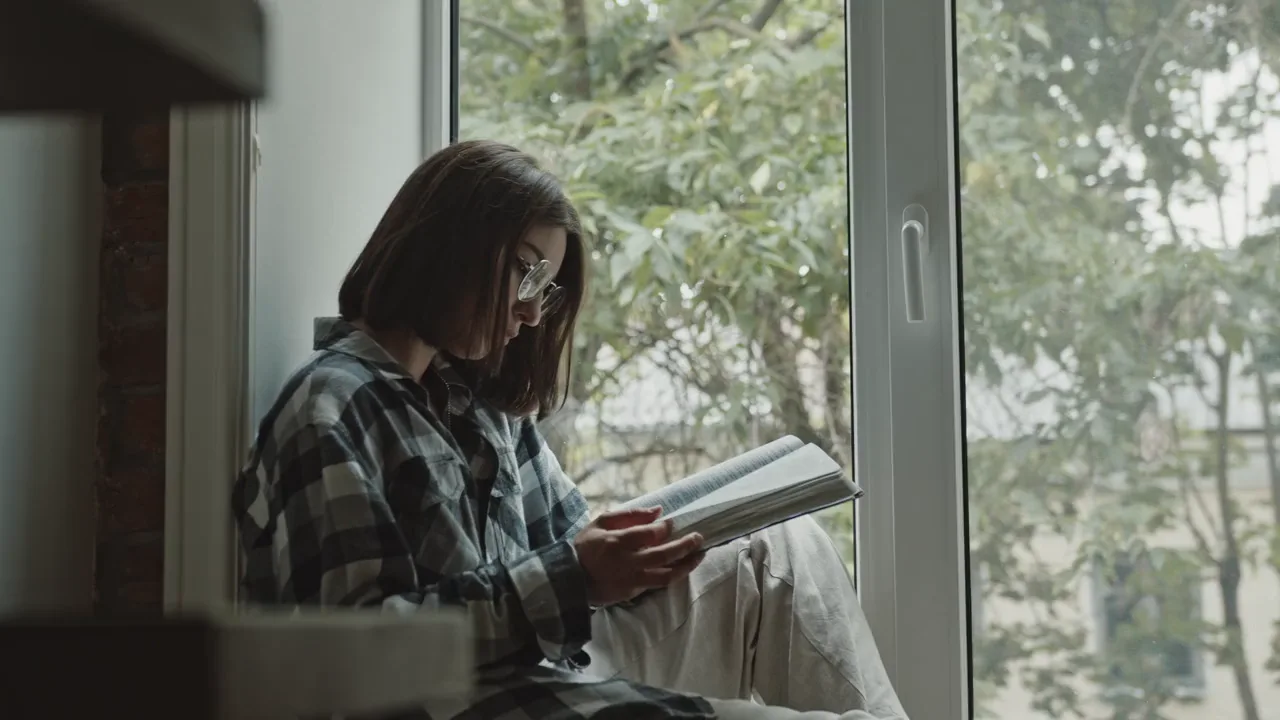
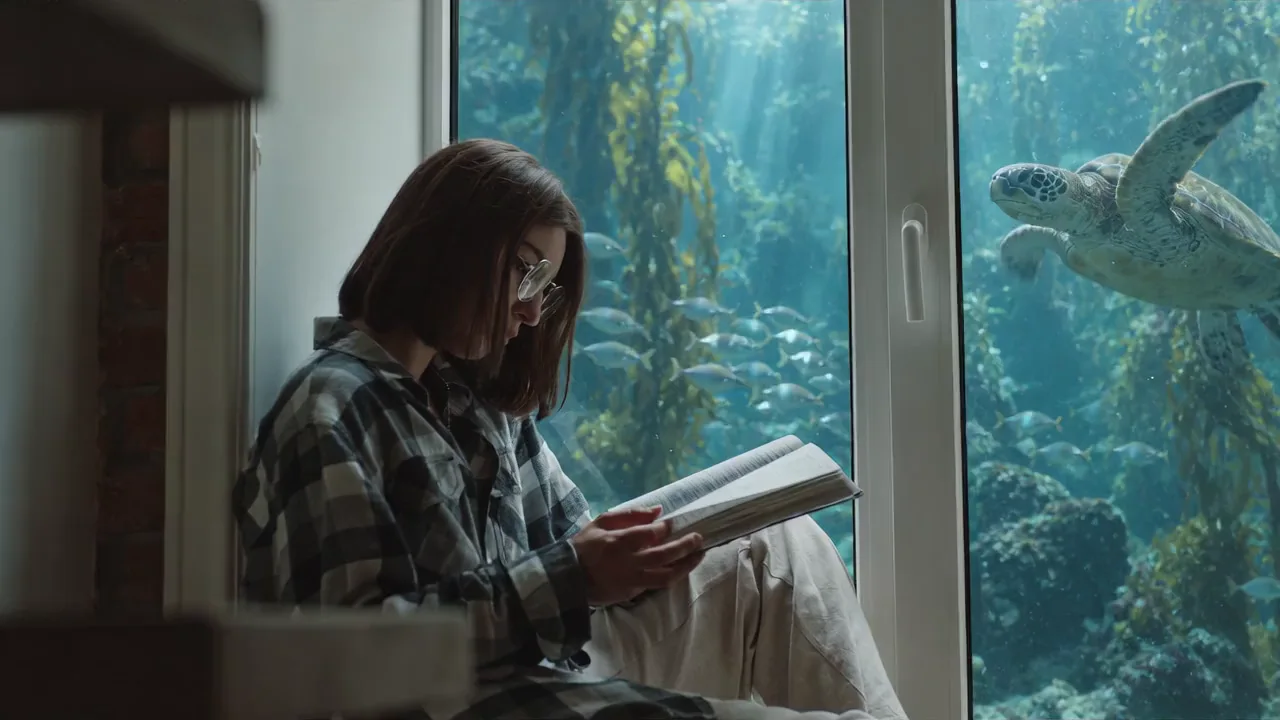
A woman sits by a window, reading. In one version, a sea turtle drifts past outside. In another, snow settles beyond the glass. A giant octopus turns a familiar room into an aquarium encounter. A cloak of ravens changes the character rather than the setting.
Explore these Creativly Restyle examples. Choose a look, play it, then switch to Original to compare the source. The examples show different creative directions, not a promise that every shot will respond identically.
 OriginalRestyle
Drag to compare · Play to see the edit in motion
The interesting part isn’t just the new subject in the window. It’s the relationship between the addition and the existing shot: the glass still separates indoors from outdoors, the book remains part of the performance, and the viewer has a familiar action to follow. That relationship is worth directing as carefully as the effect.
Not every edit needs to change everything.
Sometimes you want the whole scene reimagined. Sometimes you want one small impossibility. Creativly Restyle brings those intentions together without treating them as the same creative problem.
Creative Restyle
Change the environment, materials or character treatment. A studio can become a jungle; a rough animation can gain a more realistic surface.
Mask-based Restyle
Define the area to change or the area to preserve. Useful when a person, product or part of the scene needs a more explicit boundary.
First-frame Restyle
Edit the opening frame, settle the look, then use it to guide the video. No mask is required for this approach; the quality of that image edit matters.
Relight
Keep the scene’s identity and focus on its illumination: a softer key, a cooler night, a warm practical glow or a different direction of light.
None of these has to mean “leave the person untouched.” That might be your brief—or the person’s wardrobe, skin material or character look might be exactly what you want to transform. The useful question is: which parts of this shot are we keeping, and which parts are we deliberately redesigning?
“Keep the person” deserves more than a sentence.
A broad prompt can turn into creative whack-a-mole: the background improves, but the jacket changes; the jacket comes back, but the face drifts. That isn’t a ranking of one model against another. It’s the problem of asking a single instruction to control many different things at once.
A mask makes the spatial intention more explicit. You can mark the subject to preserve while redesigning the surroundings, or mark an object you want to change while leaving the wider scene alone. The selection needs a clear meaning: keep this and change this are opposite instructions.
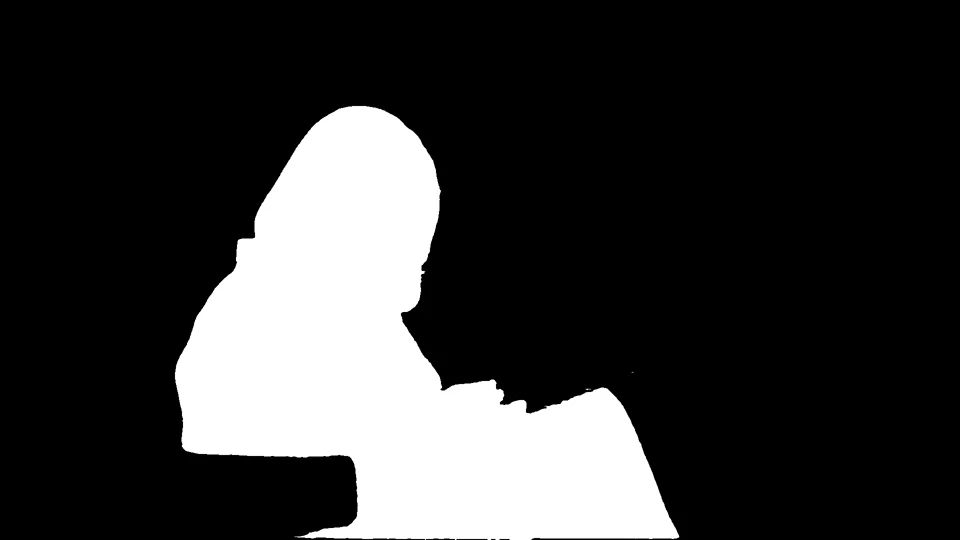
In motion, that boundary has to survive hair, fingers, a turning head and objects passing in front. A mask on one frame is not the same thing as a clean selection throughout a shot. Video segmentation and tracking address that separate problem; Meta’s explanation of video segmentation is a useful introduction. A good workflow still needs you to inspect difficult moments, not just the first frame.
The first frame is a creative decision.
Describing a look and seeing it are different things. First-frame Restyle starts with the actual opening image of your video. Edit that image until the face, composition, materials and setting make sense together. Then that chosen image becomes the visual direction for the moving shot.
You don’t need a mask just to take this route. You do need a convincing image edit. If the still has the wrong hand, an altered expression or a creature floating at the wrong scale, it is not ready to guide a video. Fix that choice while it is still one image, rather than hoping motion will hide it.
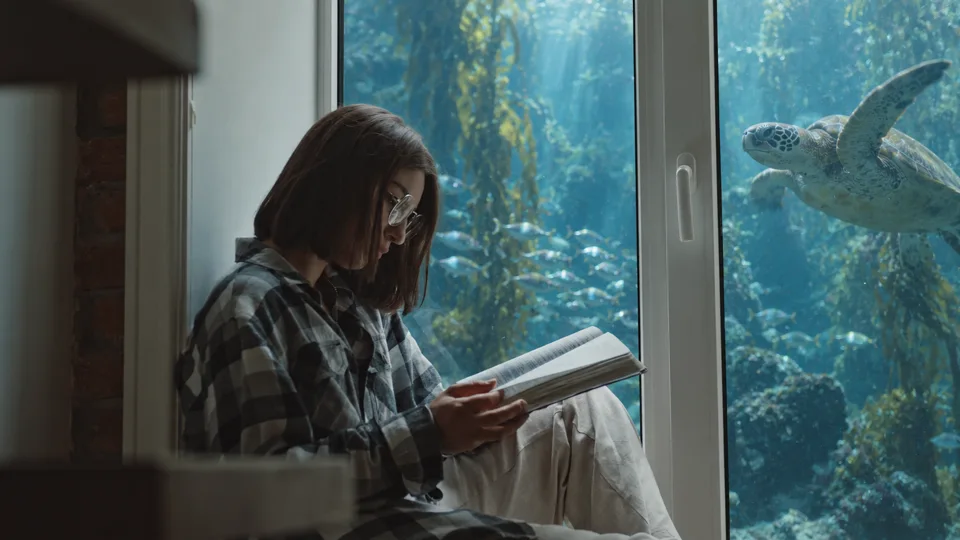
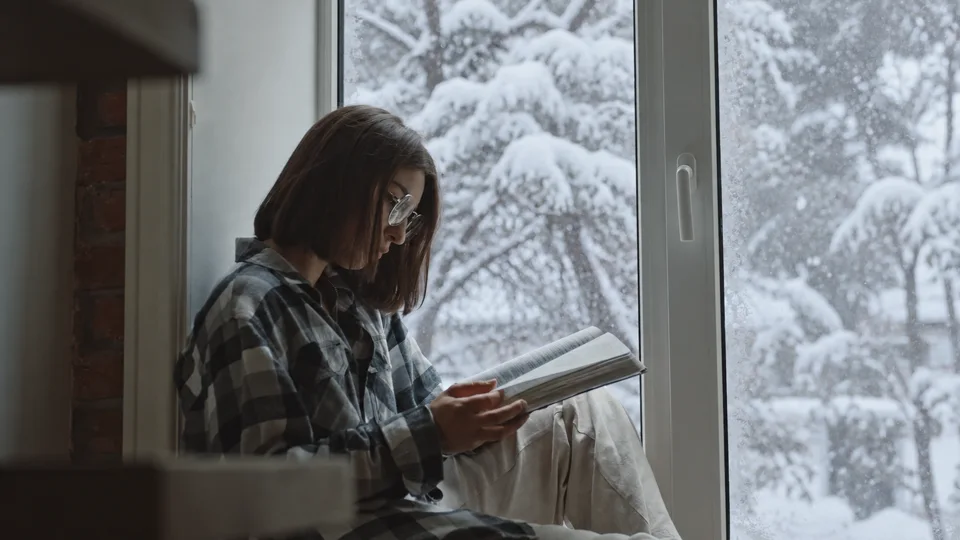
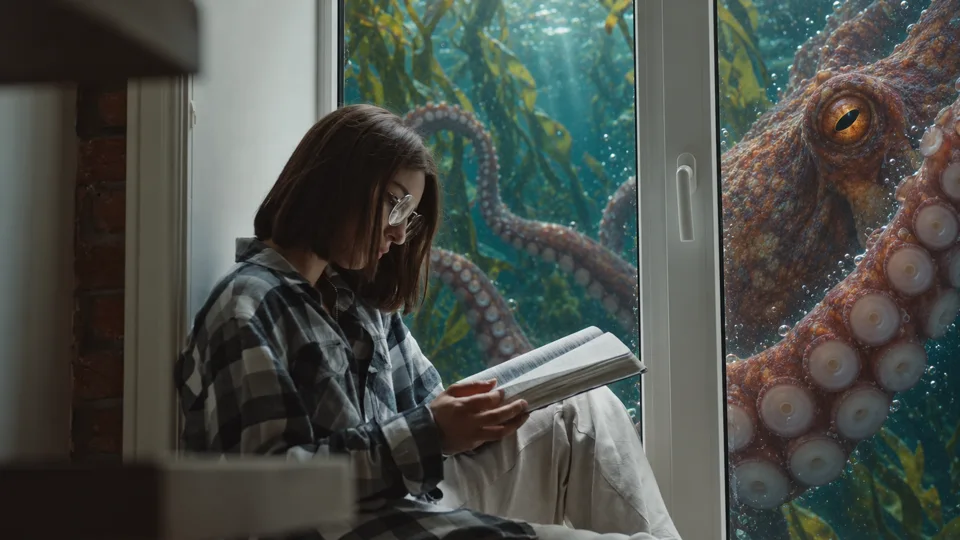
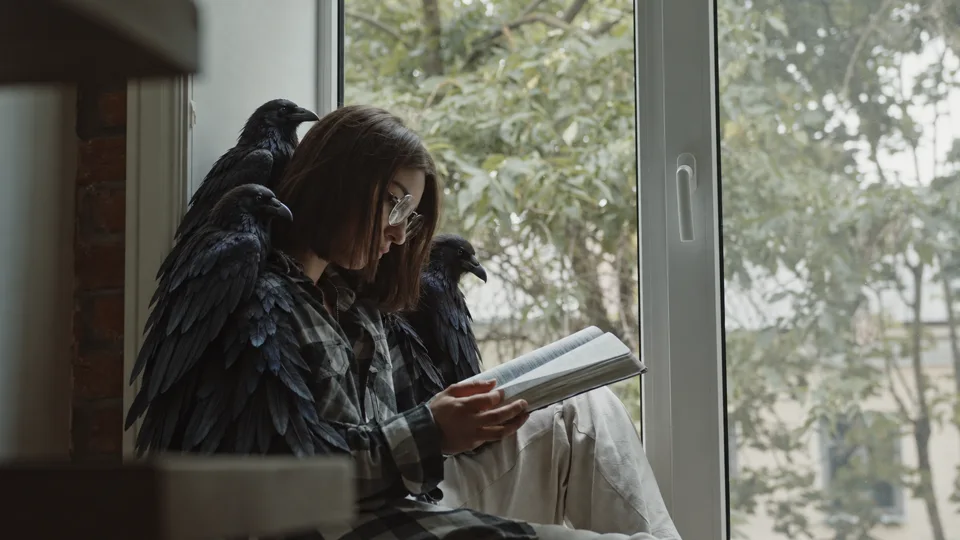
Think of the inputs as answering two different questions. The source video says what happens: the gesture, camera movement and timing. The edited first frame says what it should look like. Neither is a guarantee of perfect frame-by-frame correspondence, but the intention is much clearer than a mood description alone.
You don’t always need a new world.
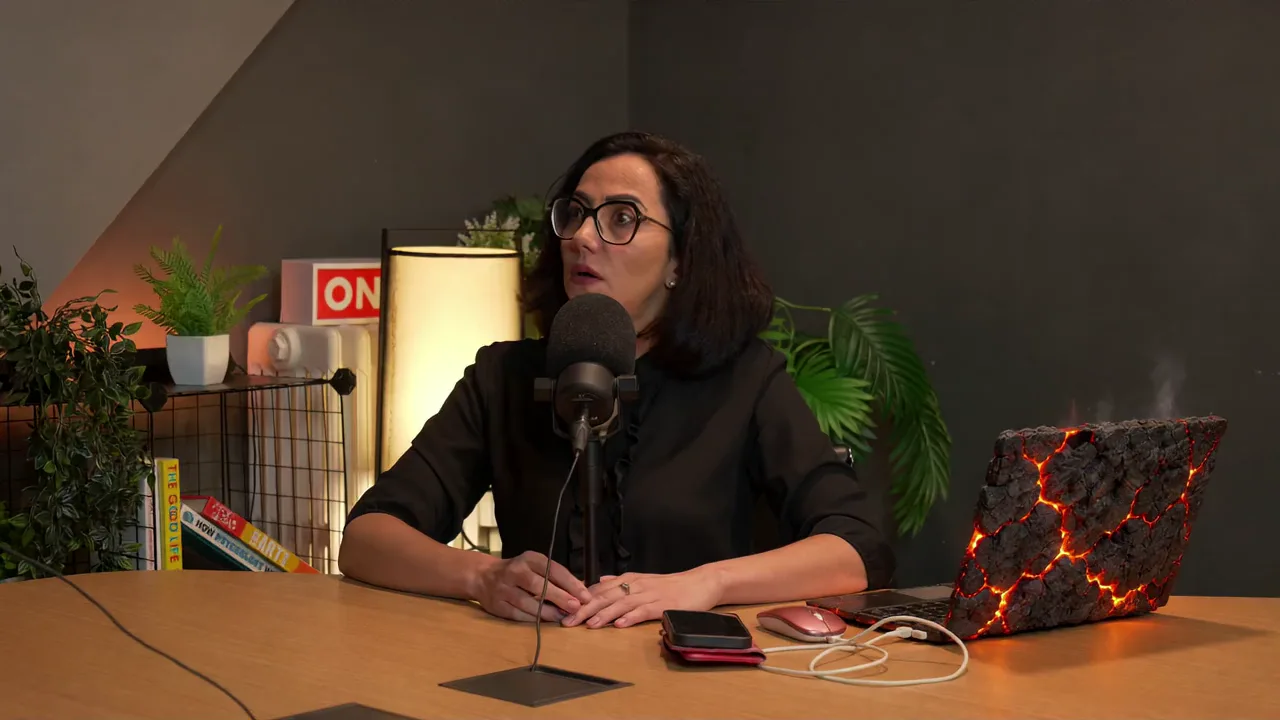
In the podcast example, the smallest change is one of the most effective: the laptop becomes volcanic rock, with glowing seams and wisps above it. It is a contained visual joke inside an otherwise ordinary conversation. Switch to the orbital or jungle look and the ambition changes from an object treatment to an entirely new set.
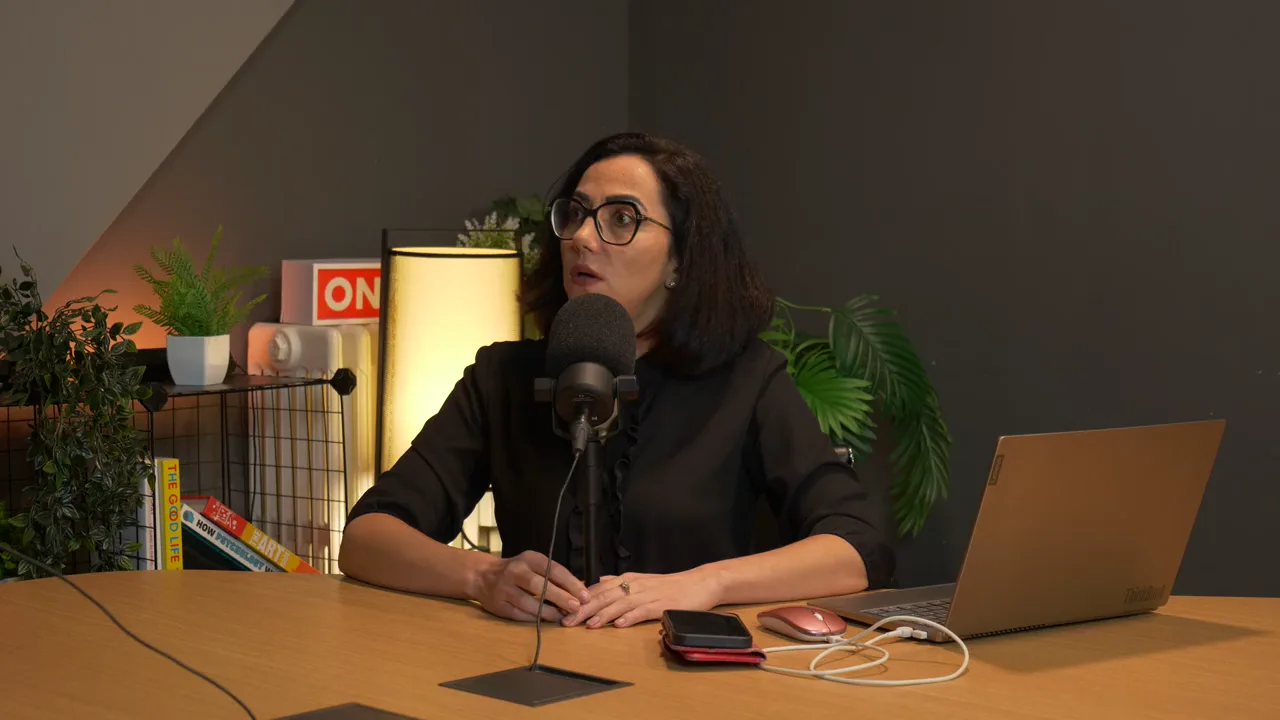
 OriginalRestyle
Drag to compare · Play to see the edit in motion
Smoke, sparks, stylized fire, an explosion in the distance, a new prop or a creature beyond a window all start with a similar directing question: where does the effect belong, and how does it relate to what is already moving? Specify what is in front of what, what should stay attached to a surface, and whether the effect should cast light. These are creative possibilities, not a checklist of guaranteed one-click effects.
Keep the expression. Change the material.
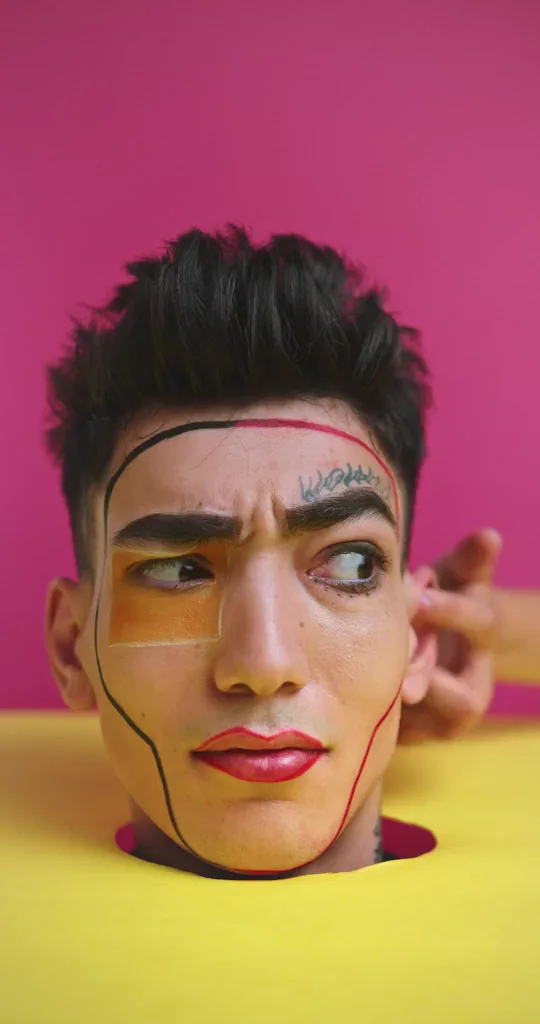
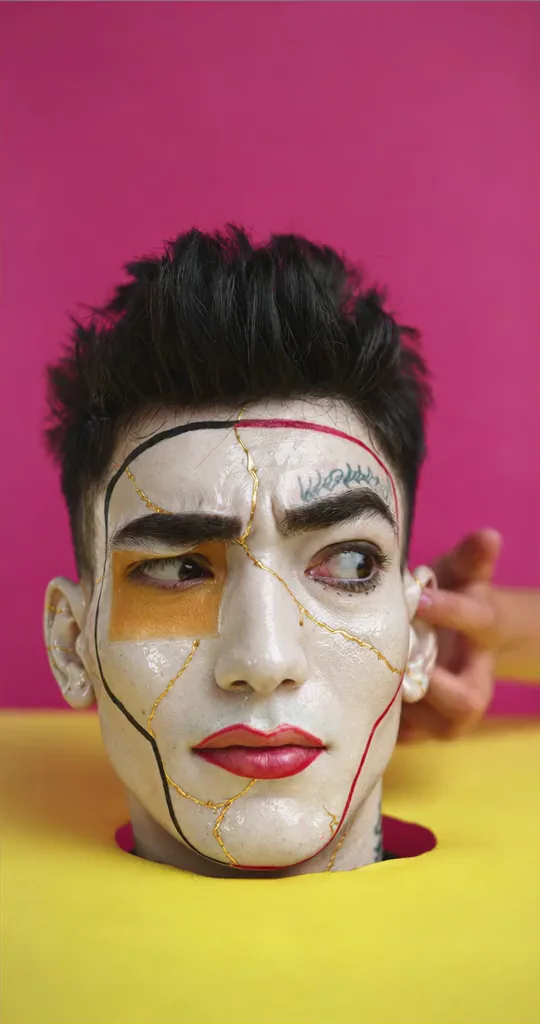
Preservation doesn’t have to mean keeping every surface natural. A face can become glazed porcelain with fine gold seams while the expression remains the thing you are trying to carry across. Or keep the face and turn the prop around it into a miniature landscape. What stays recognisable is a creative choice, not a fixed rule.
 OriginalRestyle
Drag to compare · Play to see the edit in motion
And it doesn’t have to start with live action.
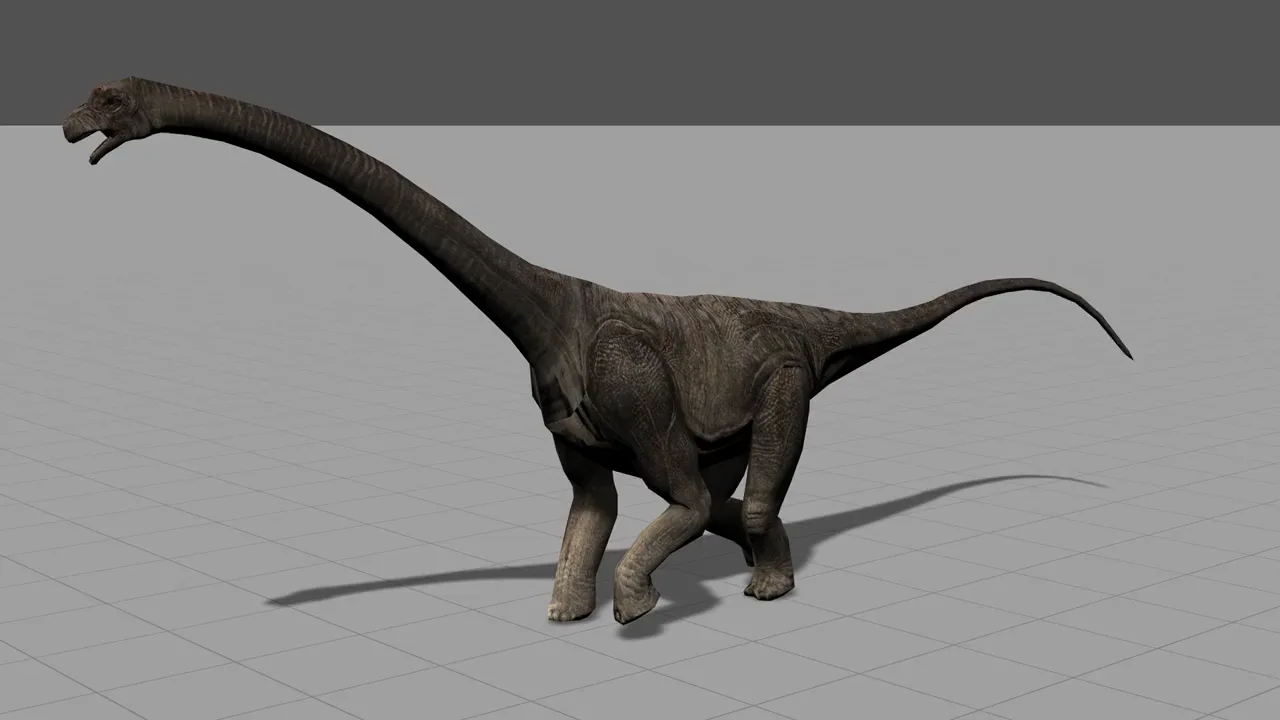
A rough 3D animation already contains valuable decisions: a walk, a turn, a camera and a sense of weight. Restyling can explore a more realistic surface without treating all of that work as disposable. This dinosaur study moves from a simpler shaded model to detailed grey skin on the same neutral stage.
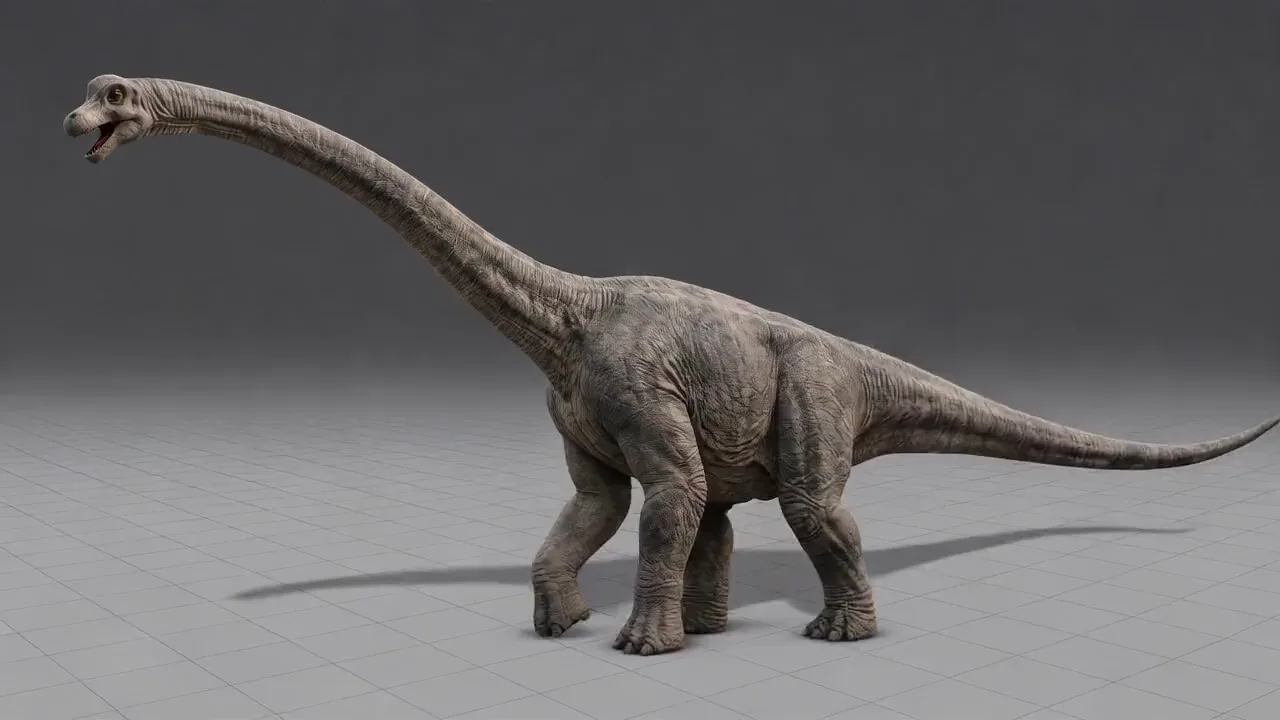 OriginalRestyle
Drag to compare · Play to see the edit in motion
The distinction matters: you are reviewing a generated video, not getting back a new textured 3D asset. Check silhouette, anatomy, contact shadows and the turn before deciding how to use the result.
Sometimes the scene is already right.
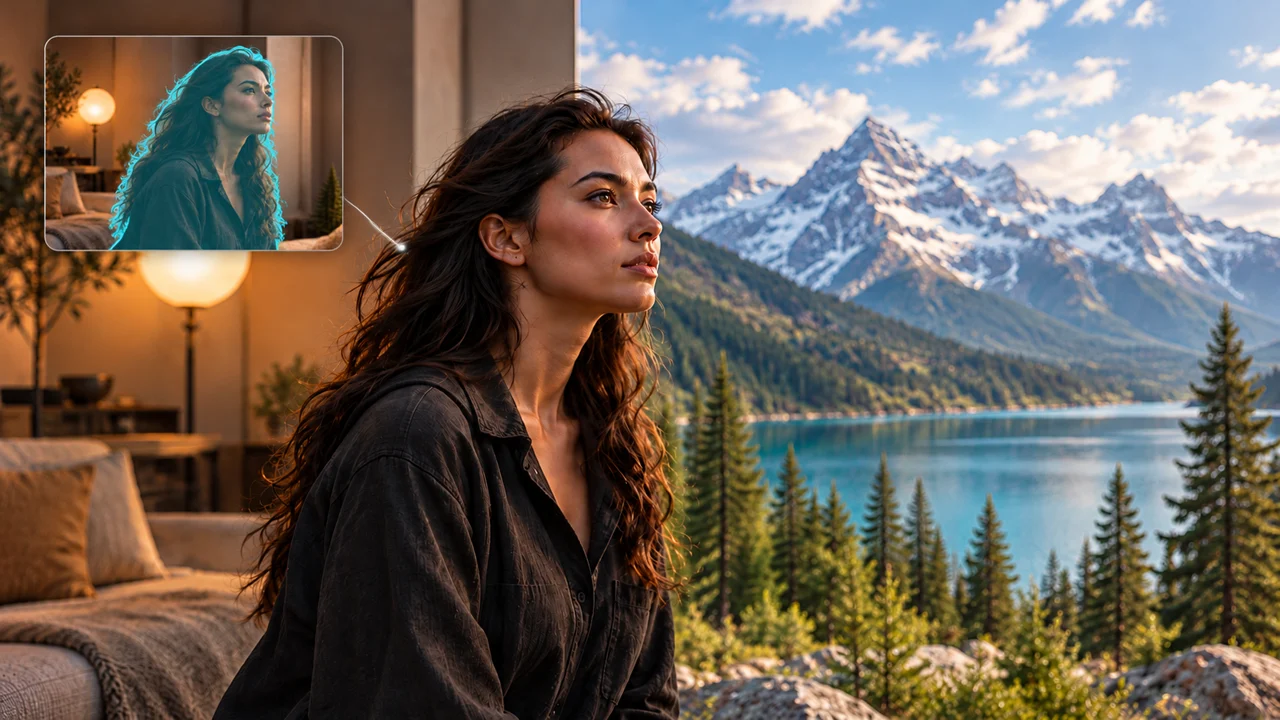
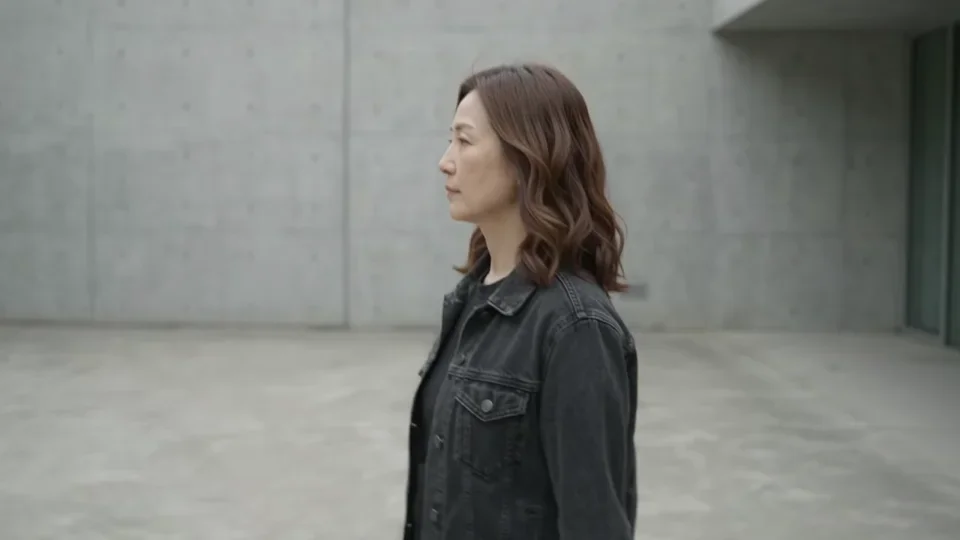
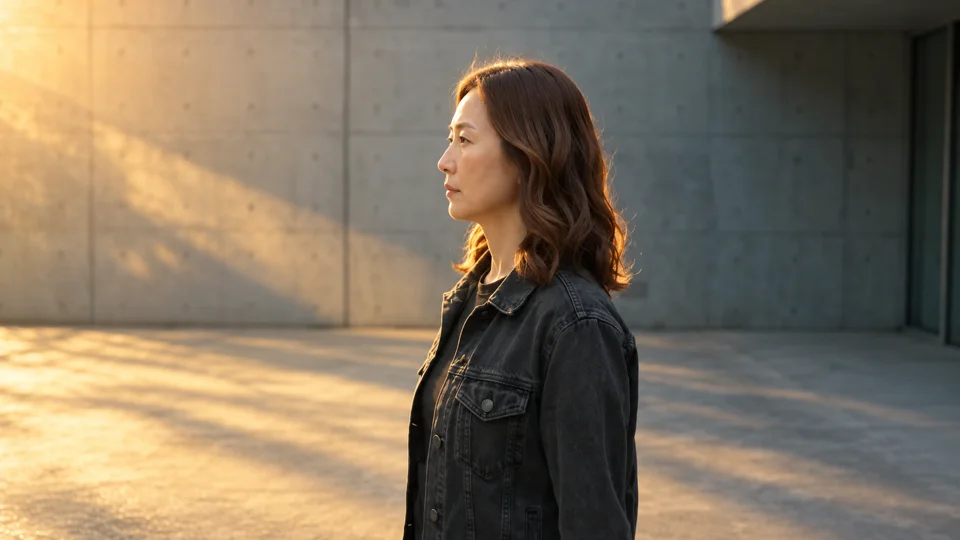
Relighting has a narrower job than replacing a set. You may want the same person, room and wardrobe, but with softer window light, a warm practical source, cooler moonlight or a more dramatic key. The goal is to change how the scene is lit without casually redesigning it.
Direction matters as much as color. “Make it blue” can feel like a wash over the image. “Cool window light from camera-right, gentle warmth on the face, readable eyes and natural skin” gives a more useful intention. Look for coherent shadows, reflections and contact with the environment—not just a pleasing color palette.
Keep what makes the shot work.
Be deliberate about everything you change.
Describe the edit in three parts.
Start with the change. Name what must stay. Then describe how the new element belongs in the shot. You don’t need to write the same warning ten different ways.
Replace only the view beyond the existing window with a deep underwater scene. A sea turtle swims past behind the glass, with small fish and soft blue light in the water.
Keep the reader, glasses, clothing, hands, book, indoor room and original camera movement. The room stays dry.
The turtle remains outside, at a believable distance. Keep the window frame in front of it and the person clearly readable.
For a full transformation, widen the brief intentionally. For a small prop edit, narrow it. If the first-frame approach is doing the visual heavy lifting, use the prompt to clarify motion and relationships rather than contradict the approved image.
A great opening frame is only the beginning.
Watch the result at normal speed, then check the moments most likely to reveal a problem: a face turning, a hand crossing an object, an effect passing behind a window edge, or the camera revealing a new part of the room. Compare the beginning, middle and end with the source—not just the poster frame.
- Performance: does the expression, action and timing still serve the shot?
- Identity and detail: check faces, fingers, clothing, lettering and small product features.
- Space: do scale, perspective, occlusion and contact make sense?
- Continuity: do surfaces, creatures and effects stay coherent as things move?
- Light: do the subject and the new scene feel as though they belong together?
AI editing can preserve a great deal of a performance without being pixel-identical to the original. For a shot that requires exact brand lettering, precise faces or final VFX delivery, leave room for human review and finishing. More control is useful; it is not a reason to stop looking carefully.
A few practical questions
What is Creativly Restyle?
Creativly Restyle is a video-to-video editing workflow built around an existing shot. Its creative direction is to change the setting, lighting, materials, character look or effects while using the source performance and camera movement as the starting point. The public AI VFX workspace currently offers an interactive preview and examples; generation is not yet available there.
Does first-frame restyling require a mask?
No. First-frame restyling starts by editing the actual opening frame and choosing the look you want to carry into the video. A mask is a separate way to specify an area to preserve or change; it is not a prerequisite for the first-frame approach.
What is the difference between relighting and restyling?
Relighting focuses on illumination: its direction, color, intensity and effect on the scene. Restyling can also change the environment, surface materials, wardrobe or overall visual treatment. If you only want different light, keep that brief narrower than a full scene replacement.
Can AI VFX add objects rather than replace the whole scene?
Yes. The Creativly Restyle examples in this article include an octopus outside a window, a raven cloak and a lava-textured laptop. For a useful brief, specify the addition, its location and what should stay unchanged. Results will vary with the source footage and your creative direction.
Will an AI restyle leave a person completely unchanged?
Preservation is a goal, not a guarantee of identical pixels. Check the face, hands, clothing details, occlusions and timing throughout the result. Masks and carefully edited first frames give more explicit direction, but difficult edges and motion still need review.