

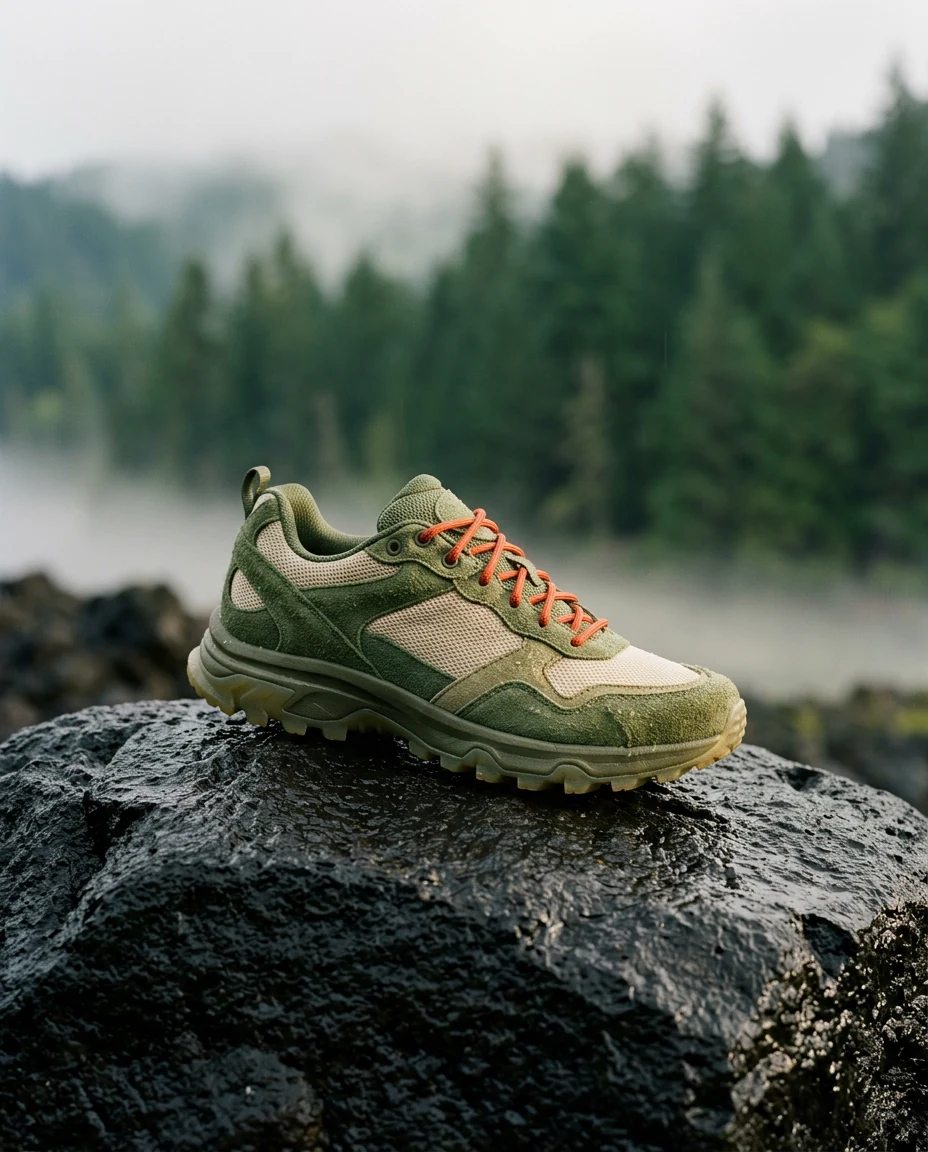
Build a tactile shoe campaign around wet rock, green mesh, and morning mist.
Read brief
Create a launch image for a moss-green trail shoe on rain-dark volcanic rock. Give it a strong editorial feel, with a bright orange lace and low mist behind it.
Connect your AI assistant to Creativly. Generate images and video,
explore models, and keep creating in your own projects.
In Customize → Connectors, choose Add → Custom → Web. Name the connector Creativly and enter this URL.
https://mcp.creativly.ai/mcpChoose Sign in now and Register automatically for the OAuth client. Sign in to Creativly, select your projects, and set a credit limit.
In a new chat, enable Creativly from + → Connectors. Explore models, get a quote, and create in an approved project.
Set up on Claude web or desktop. Your workspace may require admin approval.
Describe the idea in Claude. Choose your project, approve the quote, and let Creativly create the media.
I’ll build the campaign around the shoe’s texture, wet volcanic rock, and low morning mist, then keep the result in your Trail launch project.
 Creativlysaved to your project
Create a launch image for a moss-green trail shoe on rain-dark volcanic rock. Give it a strong editorial feel, with a bright orange lace and low mist behind it.
The trail-shoe image is ready. Its asset link is available here, with the original in your project’s Image session.
Ready-to-run briefs
Choose a direction, make the brief your own, and bring it to your connected assistant.
6 creative briefs
Build a tactile shoe campaign around wet rock, green mesh, and morning mist.
Create a launch image for a moss-green trail shoe on rain-dark volcanic rock. Give it a strong editorial feel, with a bright orange lace and low mist behind it.
Catch the texture of a fresh croissant opening in warm morning light.
Turn this bakery photo into a six-second film. Gently pull the croissant apart so a few crisp flakes fall through the warm morning light.
Follow a sleeper train through snow, with warm windows against the blue hour.
Animate this sleeper train into a six-second winter travel shot. Track slowly alongside it as it advances through the snowy valley, keeping the warm windows glowing against the blue hour.
Let afternoon shadows settle into dusk around terracotta arches and an olive tree.
Make a six-second timelapse of this terracotta courtyard from late afternoon to dusk. Keep the camera fixed as long shadows move and soft evening light settles around the olive tree.
Bring a folded-paper crab to life with a playful shuffle and turn.
Animate this little paper crab for six seconds. Have it shuffle in place and turn toward the camera with a playful handmade stop-motion rhythm.
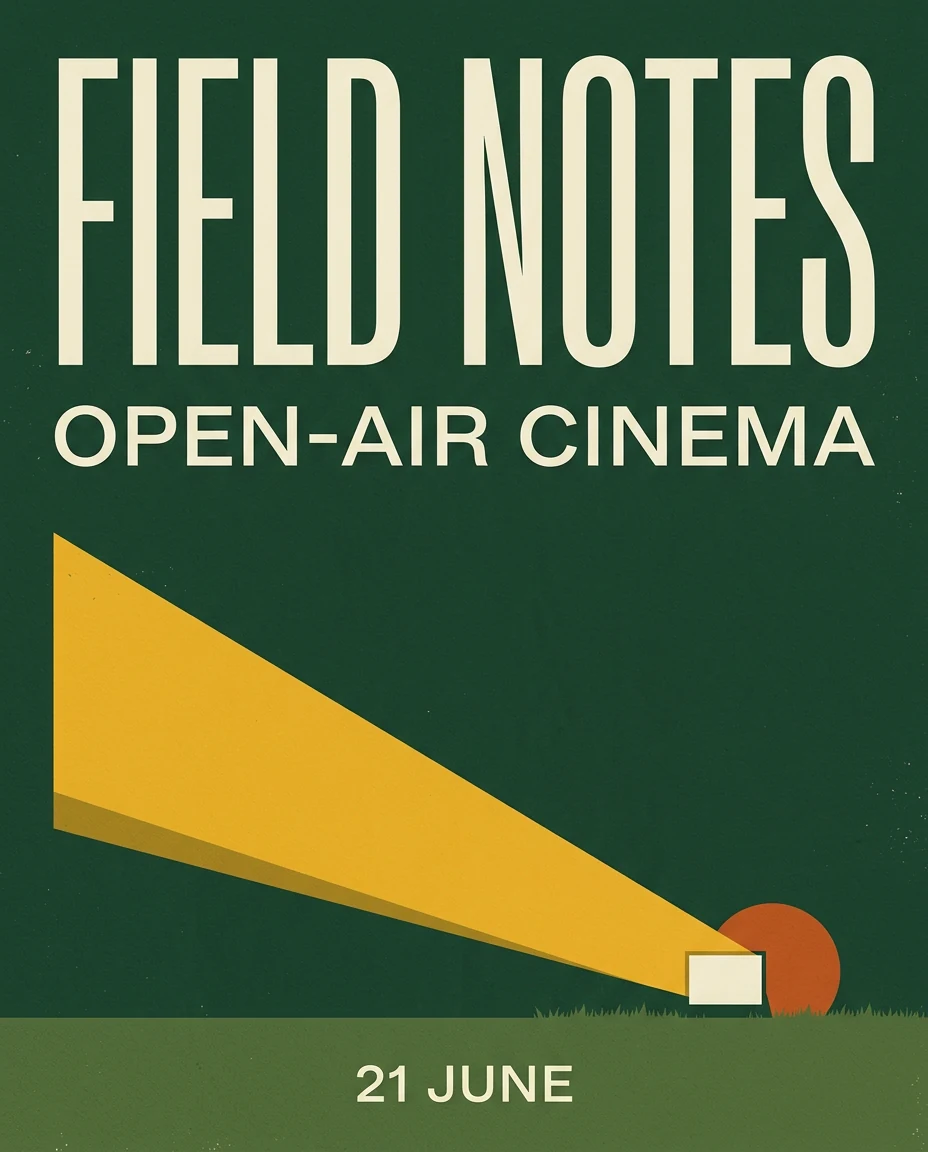
Make a forest-green poster with cream type and one unmistakable golden beam.
Design a bold FIELD NOTES open-air cinema poster. Combine oversized cream typography, deep forest green and a warm yellow projector beam, with a crisp screen-printed finish.
Original examples made for these briefs. For image-to-video requests, upload your reference to a Creativly project first.
Make images and video, choose how to create them, and keep the results connected to your projects.
Describe a campaign, product scene, or editorial concept. Your assistant can find a supported image model, quote the settings, and create the image after you approve.
Create a launch image for a moss-green trail shoe on rain-dark volcanic rock. Give it a strong editorial feel, with a bright orange lace and low mist behind it.
Creativlyimage resultExample
Start with a written brief or upload a reference image to your Creativly project. Ask your assistant to select that image, choose a supported video model, and create the clip after you approve its quote.
Turn this bakery photo into a six-second film. Gently pull the croissant apart so a few crisp flakes fall through the warm morning light.
Creativlyvideo resultExample Input reference · upload in Creativly
Explore the available image and video models and the settings each supports. Get a credit quote before generation, with the connection’s spending limits applied.
Which image model would suit my trail-shoe campaign, and what would it cost?
Creativlymodel guidanceExampleFind an approved project, create a new one when permission allows, and organize generations in Image or Video sessions. The work stays in your Creativly workspace.
Find my Trail launch project and show me where I left off.
Creativlyproject contextExampleCheck a job’s progress and retrieve completed assets. Get the asset link in the conversation and find the same result in its Creativly project and session.
Find the finished trail-shoe campaign image and send me its asset link.
Creativlyasset retrievalExampleTrail launch / Image session
Illustrative conversations and project details, with original media made for these examples. Available models, prices, and result presentation depend on your account and client.
Connected to your creative workspace
Use the assistant you prefer. Keep your projects, assets, and credits together in Creativly.
Meet Creativly MCPBrowse available image and video models, get a credit quote, and submit a generation. You can also create or resume Image and Video sessions, check jobs, and retrieve assets in approved projects.
Sign in with your existing Creativly account. Choose which owned projects the connection can access and set its spending limits. Generations use your existing account credits; your assistant’s subscription is separate.
Upload media to your project in Creativly, then ask your assistant to find it. Supported models can use images as video references or edit one existing video. Edits keep the source length, up to thirty seconds; individual models may have lower limits. Chat attachments are not automatically uploaded to Creativly.
These instructions use a custom MCP connection. A public directory listing is separate and is not required for the supported custom setup. Account and workspace policies may affect which connections you can add.